
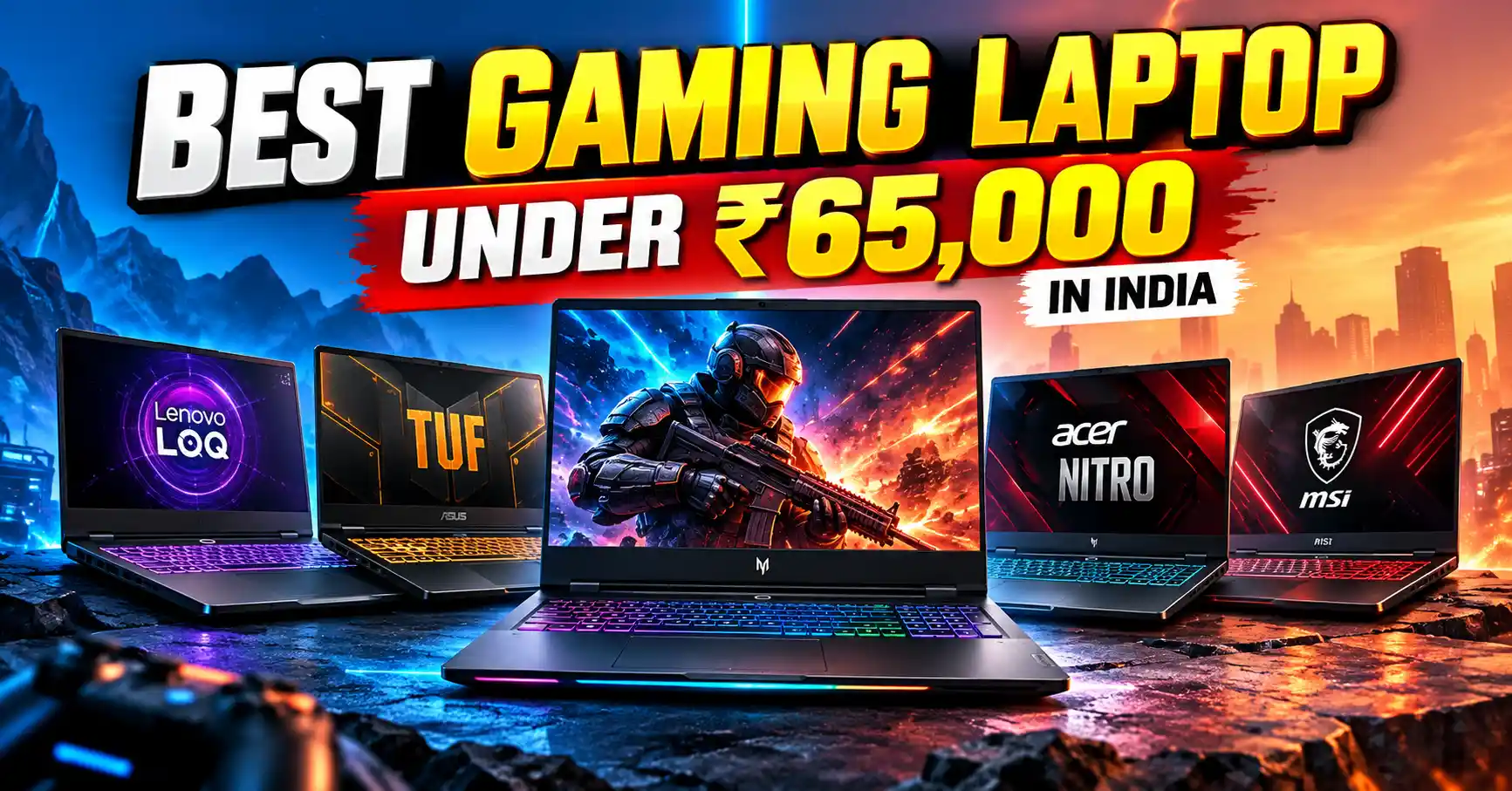
Finding the best gaming laptop under ₹65,000 is about balancing graphics performance, processor speed, cooling, RAM, and display quality. Whether you play BGMI through an emulator, Valorant ,Counter-Strike 2, GTA V, or demanding AAA games, choosing the right GPU can make a significant difference to your gaming experience.
For this budget, an RTX 3050 laptop with 16GB RAM is a practical option, while an RTX 4050 laptop is worth targeting if a genuine sale brings it within your budget. Don’t assume that every laptop with an RTX 4050 will deliver identical FPS: graphics power limits, cooling, CPU performance, and game settings all matter. Independent laptop testing by 91mobiles and Digit highlights the importance of comparing real-world gaming performance, rather than relying on GPU names alone.
Best gaming laptops under ₹65,000: Quick comparison
These are the configurations worth comparing when shopping online in India. Prices are indicative research snapshots, not guaranteed live offers; confirm the exact model number, GPU, RAM and seller price before buying.
| Gaming Laptop | Graphics Card | Best For |
|---|---|---|
| Acer Nitro V 15 Best Value | RTX 3050 6GB variant | GPU-focused gaming |
| Lenovo LOQ Essential 15 | RTX 3050 4GB variant | Gaming and everyday productivity |
| ASUS TUF Gaming A15 | RTX 3050 or RTX 2050, depending on SKU | Competitive gaming and durability |
| HP Victus 15 | RTX 3050 or RTX 2050, depending on SKU | Gaming, college and general use |
| MSI Thin 15 | RTX 3050 4GB variant | Gaming on a budget |
Important: These product families have multiple configurations. The specific GPU and RAM combination matters more than the laptop’s family name. Check the listing before ordering
1. Acer Nitro V 15 — best value for gaming
The Acer Nitro V is a strong starting point if gaming performance is your main priority. Some configurations feature an NVIDIA GeForce RTX 3050, and the 6GB version is particularly worth considering when available within your budget.
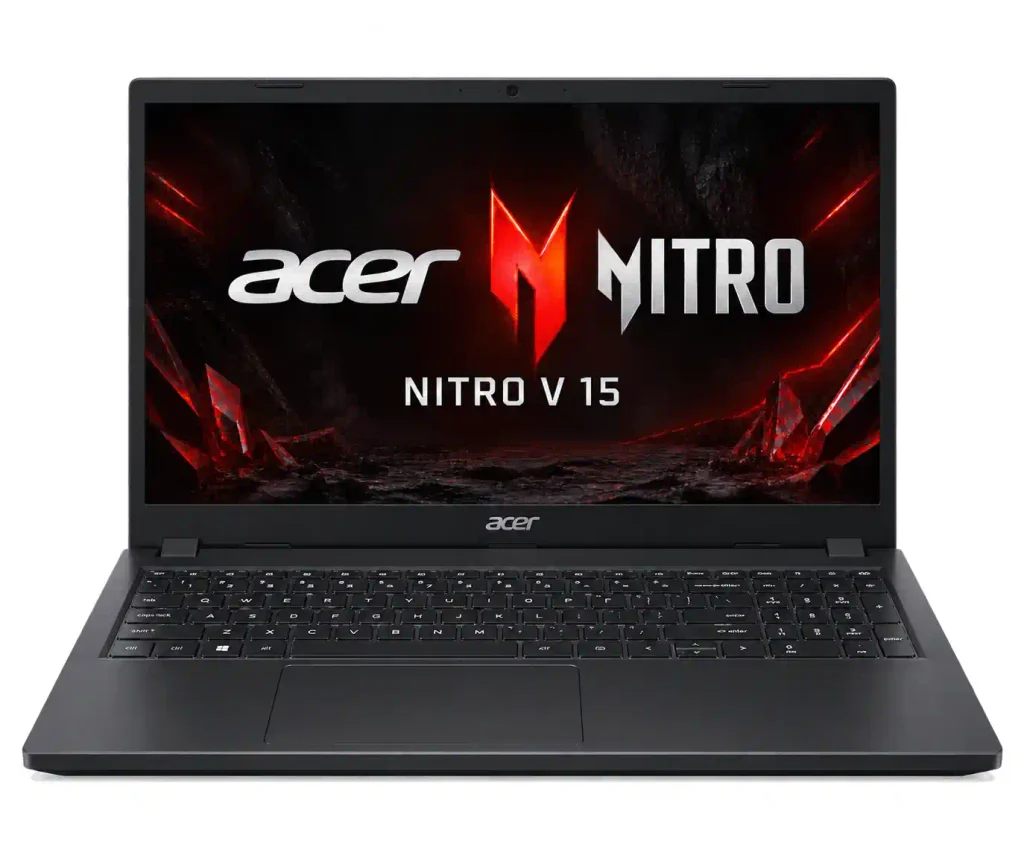
- GPU: RTX 3050 — verify whether the model has 4GB or 6GB VRAM.
- RAM: Prefer 16GB, or choose an upgradeable configuration.
- Storage: A 512GB SSD is a sensible minimum.
- Display: Look for a Full HD panel with a 144Hz refresh rate.
- Best for: Valorant, CS2, GTA V and other popular PC games.
Review of Acer Nitro V 15:
- Design and Build: The laptop has a matte black plastic body, a raised hinge for better airflow, a responsive touchpad, and a white-backlit keyboard with two brightness levels.
- Performance and Upgrades: It features a 13th Gen Intel Core i5-13420H processor, 8GB DDR5 RAM, and a 512GB Gen4 SSD. You can upgrade the RAM to 32GB. Upgrading to 16GB is recommended for smoother gaming and multitasking.
- Ports and Display: It offers HDMI 2.1, USB 3.2 ports, and Thunderbolt 4 connectivity. The 15.6-inch IPS display supports a 144Hz refresh rate, making games look smoother. However, its colour accuracy may not be ideal for professional photo and video editing.
- Gaming Performance: The laptop can run games like Counter-Strike 2, GTA V, Red Dead Redemption 2, and Cyberpunk 2077. Performance depends on the graphics card and game settings. DLSS can help improve frame rates in supported games.
- Price and Verdict: The RTX 3050 variant can be a more affordable option than the RTX 4050 model, depending on current prices. It is worth considering for students and budget-conscious gamers who want a laptop for everyday work and gaming.
Pros:
- Dedicated graphics suitable for 1080p gaming.
- Good value when discounted.
- A practical option for gaming and college work.
Cons:
- Fan noise can increase during gaming.
- Entry-level GPU performance limits demanding games at high settings.
- Some variants ship with only 8GB RAM.
The August 2026 budget-laptop research from The Tech Vector identifies the Acer Nitro V as a strong value pick in the sub-₹60,000 segment, although the precise configuration and selling price need to be checked.
2. Lenovo LOQ Essential 15 — an all-rounder for gaming and work
The Lenovo LOQ Essential is worth comparing if you want a laptop for gaming, programming, multitasking and everyday productivity. Look for the RTX 3050 configuration and check whether it includes 16GB RAM.
- GPU: RTX 3050 4GB on the listed budget configuration.
- RAM: Prefer 16GB.
- Storage: 512GB SSD.
- Display: Check the refresh rate and colour coverage of the exact SKU.
- Best for: Students and gamers who also use demanding desktop applications.
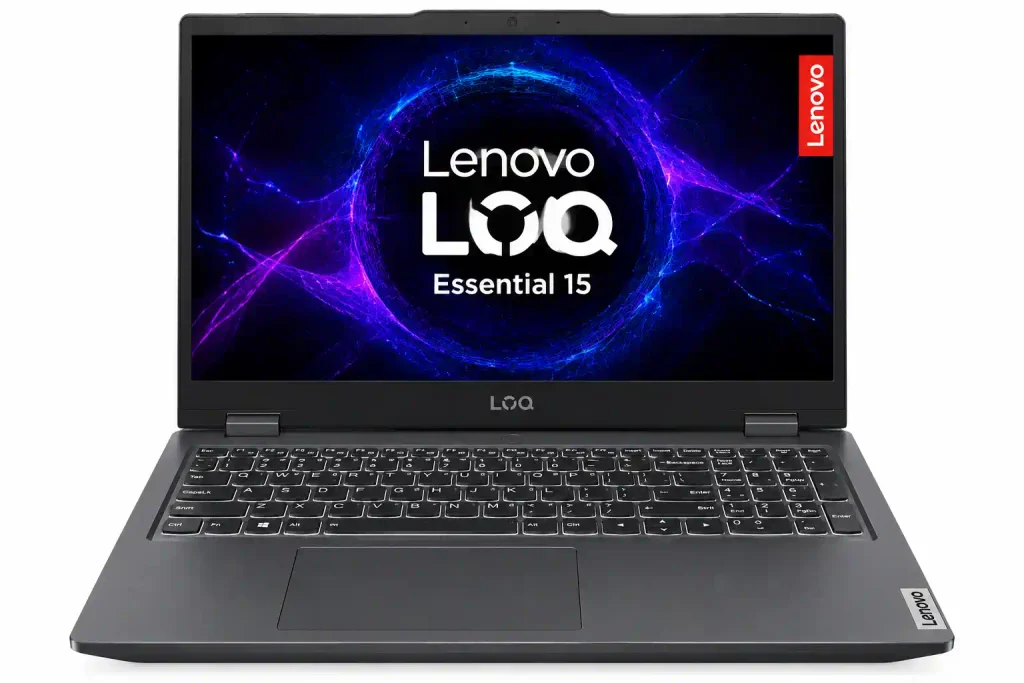
Review of Lenovo LOQ Essential 15 (RTX 3050 4GB)
- Design and Build: The Lenovo LOQ Essential 15 features a clean, dark-coloured design with a sturdy build and a comfortable keyboard. Its simple look makes it suitable for students, office work, and gaming.
- Performance and Upgrades: It is available with different processor and memory configurations, depending on the model. The RTX 3050 4GB variant offers dedicated graphics for gaming and creative tasks. For smoother multitasking and gaming, choosing 16GB RAM is recommended. Check the exact model for RAM upgrade options.
- Ports and Display: The laptop offers essential connectivity options for connecting accessories and external displays. Its 15.6-inch display provides a good viewing experience for everyday use and gaming. Check the specific variant for its refresh rate, resolution, and colour coverage.
- Gaming Performance: The NVIDIA GeForce RTX 3050 4GB can handle games like GTA V, Counter-Strike 2, and other popular titles. More demanding games, such as Cyberpunk 2077 and Red Dead Redemption 2, may require lower graphics settings for smoother gameplay. DLSS can improve performance in supported games, but the 4GB VRAM limit may affect newer, graphics-intensive titles.
- Price and Verdict: The Lenovo LOQ Essential 15 with RTX 3050 4GB is worth considering for students and budget-conscious gamers. It offers dedicated graphics for gaming, everyday tasks, and light creative work. However, compare its price, processor, display, RAM, and upgrade options with other gaming laptops before buying.
Pros
- A balanced option for gaming and productivity.
- SSD storage and upgrade options can make it useful for several years.
- High-refresh-rate configurations are available in this product category.
Cons
- The 4GB VRAM limit can restrict texture settings in some newer games.
- The Essential series should not automatically be treated as equivalent to the full Lenovo LOQ range.
- Prices and specifications vary by model number.
A September 2026 comparison from Gadget and Grill lists an LOQ Essential 15 configuration with a Core i5-12450HX, RTX 3050 4GB and 16GB RAM at around ₹59,990. Treat that as a reference price rather than a guaranteed current offer
3. ASUS TUF Gaming A15 — a competitive gaming option
The ASUS TUF Gaming A15 is worth shortlisting if you want a dedicated GPU, a gaming-focused design and a high-refresh-rate display. However, do not assume every A15 has an RTX 3050: some budget variants use an RTX 2050.
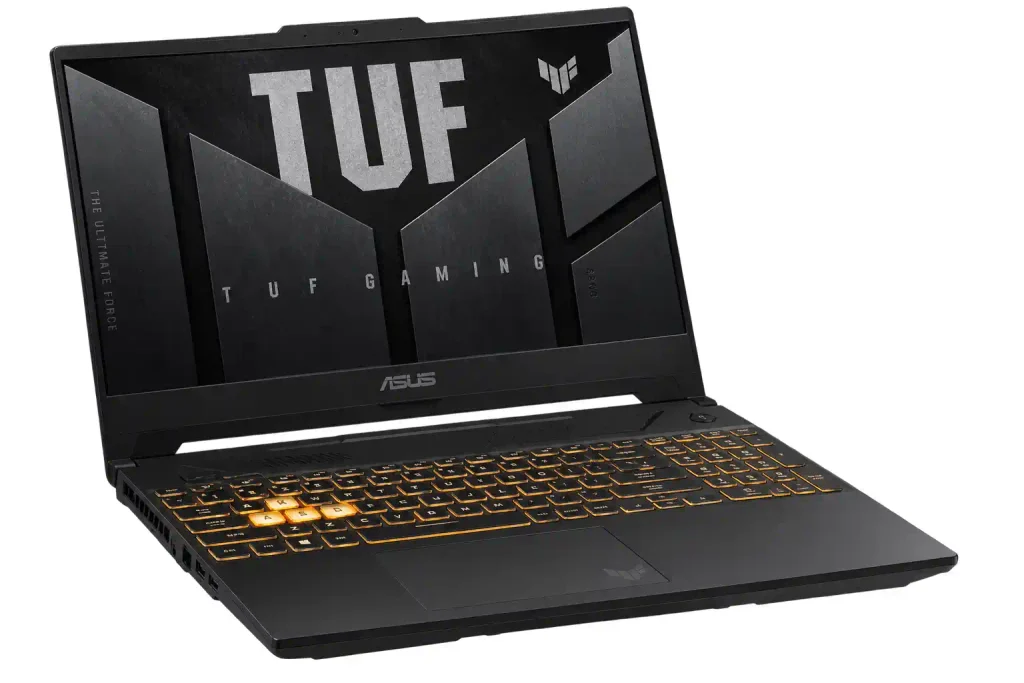
- GPU: RTX 3050 or RTX 2050, depending on configuration.
- RAM: Aim for 16GB.
- Storage: 512GB SSD or higher.
- Display: Check for Full HD resolution and a 144Hz refresh rate.
- Best for: Competitive games and general-purpose use.
Review of ASUS TUF Gaming A15
- Design and Build: The ASUS TUF Gaming A15 features a rugged design built for everyday use and gaming. Its sturdy chassis, comfortable keyboard, and gaming-focused design make it suitable for students and gamers.
- Performance and Upgrades: The laptop is available with different AMD Ryzen processors, graphics cards, and RAM configurations, depending on the model. The RTX 3050 variant offers dedicated graphics for gaming and creative tasks. For smoother multitasking and better gaming performance, 16GB RAM is recommended. Check the exact model for RAM and storage upgrade options.
- Ports and Display: The ASUS TUF Gaming A15 offers useful connectivity options, including USB ports, HDMI, and USB-C, depending on the variant. Its 15.6-inch display is suitable for gaming, studying, and watching videos. Some models offer a 144Hz refresh rate for smoother gameplay, but display quality and colour accuracy vary by configuration.
- Gaming Performance: The NVIDIA GeForce RTX 3050 variant can handle games like GTA V, Counter-Strike 2, and other popular titles. Demanding games such as Cyberpunk 2077 and Red Dead Redemption 2 may require medium or low graphics settings for smoother performance. DLSS can improve frame rates in supported games, although the 4GB VRAM limit may affect newer games.
- Price and Verdict: The ASUS TUF Gaming A15 is worth considering for students and budget-conscious gamers who need a laptop for gaming, everyday tasks, and light creative work. Its rugged design and dedicated graphics make it a practical option. Before buying, compare the processor, GPU, display, RAM, and current price of the exact variant.
Pros
- Suitable for esports games with appropriately configured hardware.
- Gaming-focused chassis and keyboard.
- Some models offer good processor performance for the price.
Cons
- RTX 2050 versions are less powerful than RTX 3050 alternatives.
- Gaming battery life is limited.
- Check whether the display and memory match your needs.
A September 2026 comparison lists the ASUS TUF Gaming A15 among the budget options in India, with configuration-dependent pricing.
4. HP Victus 15 — for gaming, college and everyday use
- GPU: Check for RTX 3050; some variants have RTX 2050.
- RAM: Prefer 16GB for modern games and multitasking.
- Storage: 512GB SSD.
- Display: Look for a 144Hz Full HD panel where possible.
- Best for: First-time PC gamers and students.
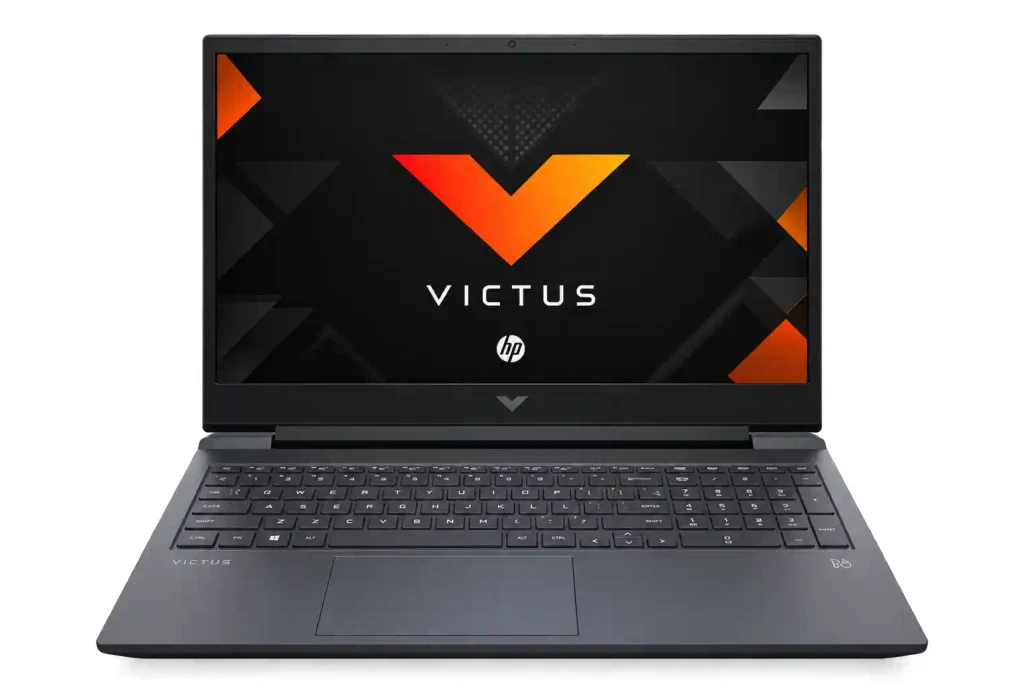
Review of HP Victus 15
- Design and Build: The HP Victus 15 features a clean, modern design with a dark-coloured chassis and a comfortable keyboard. Its simple appearance makes it suitable for students, office work, and gaming.
- Performance and Upgrades: The laptop is available with different Intel and AMD processors, graphics cards, and memory configurations, depending on the model. The RTX 3050 variant provides dedicated graphics for gaming and creative tasks. For smoother multitasking and gaming, 16GB RAM is recommended. Check the exact model for RAM and storage upgrade options.
- Ports and Display: The HP Victus 15 offers useful connectivity options, including USB-A, USB-C, and HDMI, depending on the variant. Its 15.6-inch display is suitable for gaming, studying, and watching videos. Some models feature a 144Hz refresh rate for smoother gameplay, although display quality and colour accuracy vary by configuration.
- Gaming Performance: The NVIDIA GeForce RTX 3050 variant can handle games like GTA V, Counter-Strike 2, and other popular titles. Demanding games such as Cyberpunk 2077 and Red Dead Redemption 2 may require lower graphics settings for smoother performance. DLSS can improve frame rates in supported games, but the 4GB VRAM limit may affect newer, graphics-intensive titles.
- Price and Verdict: The HP Victus 15 is worth considering for students and budget-conscious gamers who need a laptop for gaming, everyday tasks, and light creative work. It offers a practical design and dedicated graphics at a potentially competitive price. Before buying, compare the processor, GPU, display, RAM, and current price of the exact variant.
Pros
- Useful for both productivity and gaming.
- Multiple processor and graphics configurations.
- A good candidate when a specific variant is discounted.
Cons
- GPU performance varies substantially between configurations.
- Cooling, screen brightness and colour coverage vary by SKU.
- The entry-level graphics options are not ideal for demanding AAA games at maximum settings.
The budget comparisons published during 2026 include several Victus configurations around this price bracket. Compare the full model number instead of choosing based on the Victus name alone
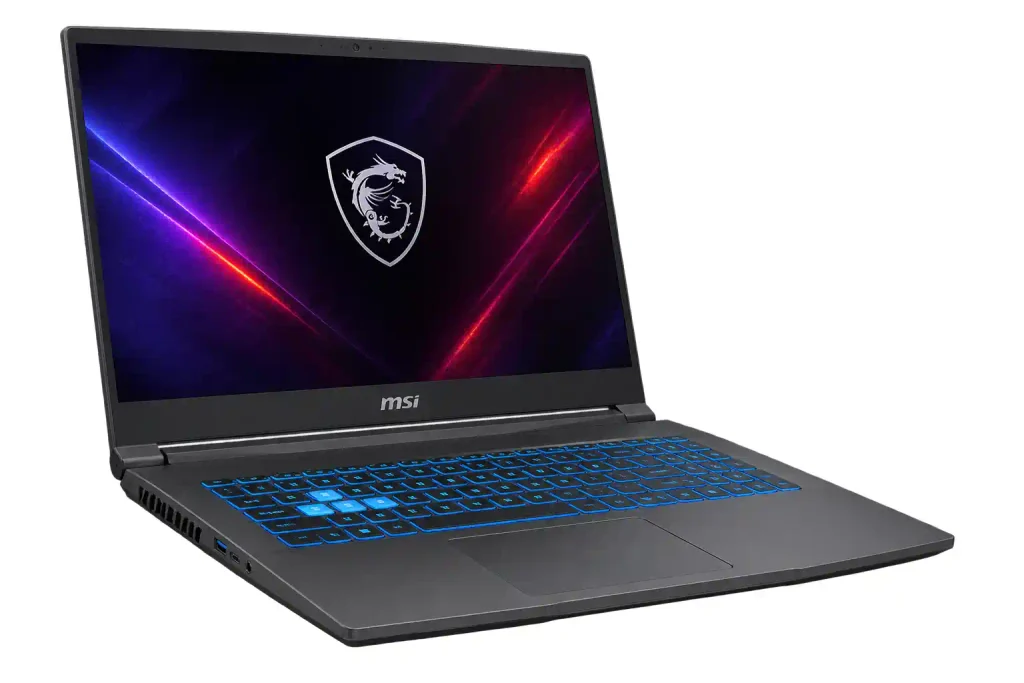
5. MSI Thin 15 — a budget-friendly alternative
The MSI Thin 15 is worth checking when it is available at a competitive price. Certain configurations combine an Intel Core i5 processor with an RTX 3050, although older variants and lower-power graphics configurations require extra care.
- GPU: RTX 3050 4GB on some configurations.
- RAM: Prefer 16GB.
- Storage: 512GB SSD.
- Display: Verify the exact panel specifications before buying.
- Best for: Budget-conscious gamers who want dedicated NVIDIA graphics.
Review of MSI Thin 15
- Design and Build: The MSI Thin 15 features a slim, lightweight design with a dark-coloured chassis and a gaming-style appearance. Its portable design makes it suitable for students who need a laptop for college, everyday work, and gaming.
- Performance and Upgrades: The laptop is available with different Intel Core processors, NVIDIA graphics cards, and memory configurations, depending on the model. The RTX 3050 variant provides dedicated graphics for gaming and creative tasks. For smoother multitasking and gaming, 16GB RAM is recommended. Check the exact model for RAM and storage upgrade options.
- Ports and Display: The MSI Thin 15 offers connectivity options such as USB-A, USB-C, and HDMI, depending on the variant. Its 15.6-inch display is suitable for gaming, studying, and watching videos. Some configurations feature a 144Hz refresh rate for smoother gameplay, while colour accuracy and overall display quality vary by model.
- Gaming Performance: The NVIDIA GeForce RTX 3050 variant can run games like GTA V, Counter-Strike 2, and other popular titles. More demanding games, such as Cyberpunk 2077 and Red Dead Redemption 2, may require lower graphics settings for smoother performance. DLSS can improve frame rates in supported games, but graphics performance also depends on the GPU’s power limit and available VRAM.
- Price and Verdict: The MSI Thin 15 is worth considering for students and budget-conscious gamers who want a relatively portable laptop for gaming, everyday tasks, and light creative work. Before buying, compare its processor, graphics card, display, RAM, cooling performance, and current price with other gaming laptops.
Pros
- Dedicated GPU for PC gaming.
- Can be attractive during clearance sales.
- Suitable for everyday work and entertainment.
Cons
- A thin chassis can involve compromises in sustained cooling and graphics power.
- Some configurations have limited VRAM.
- Compare GPU power limits and cooling reviews before choosing it over a thicker gaming laptop.
Price-comparison listings include MSI Thin models in the ₹60,000–₹65,000 neighbourhood, but configuration and availability can change
Gaming Laptop FPS Comparison
Compare average FPS across five gaming laptops
Actual FPS depends on GPU, GPU power limit, processor, RAM, cooling, drivers and graphics settings.
What should you look for in a gaming laptop under ₹65,000?
Before you buy, prioritise these specifications.
1. Dedicated graphics card
Choose an RTX 3050 or better when available at your price. Check the VRAM capacity and GPU power limit rather than relying only on the GPU name.
2. Processor
Look for a recent Intel Core i5 H/HX-series or AMD Ryzen 5/7 H/HS-series processor. Compare exact generations and models because performance differs considerably.
3. At least 16GB RAM
If the laptop comes with 8GB, check the upgrade cost and memory-slot arrangement. Dual-channel memory can also affect gaming performance.
4. A 512GB SSD or larger
Modern games can consume substantial storage, so confirm that the laptop has an upgradeable SSD or a second storage slot if you expect to install many games.
5. A high-refresh-rate display
A 144Hz Full HD display is a good target for competitive gaming. Also check brightness, colour coverage and response time.
Frequently asked questions
1. Which is the best gaming laptop under ₹65,000 in India?
The Acer Nitro V 15 with an RTX 3050 is a strong starting point for GPU-focused gaming. Compare it with the Lenovo LOQ Essential and HP Victus 15, ensuring that each listing has the graphics card and RAM you want.
2.How much FPS can a gaming laptop under ₹65,000 deliver?
It depends on the game and hardware. Competitive games can run at high frame rates, while demanding AAA titles may need medium settings.
3. Is 8GB RAM enough for gaming?
It can run some games, but 16GB is a better target for modern gaming and multitasking. Check whether the laptop supports a RAM upgrade before buying.
4. Is the RTX 3050 good for GTA V and Valorant?
Yes. The RTX 3050 is capable of running both games at 1080p, although the FPS you achieve depends on the CPU, GPU power limit, RAM and graphics settings.
5. Is an RTX 3050 better than an RTX 2050?
Generally, yes. The RTX 3050 offers stronger graphics capabilities and DLSS 3 Frame Generation support. However, performance varies between laptop implementations, so compare independent benchmarks of the exact models whenever possible.
6. Should I choose an RTX 3050 laptop or a newer integrated-graphics laptop?
For gaming-focused use, a dedicated RTX 3050 laptop is generally the safer choice at this budget. A newer integrated GPU can be competitive in some situations, but you should compare actual game benchmarks, power consumption and your preferred titles.
Final verdict
If your budget is strictly ₹65,000, start by comparing the Acer Nitro V 15, Lenovo LOQ Essential 15 and HP Victus 15 with an RTX 3050 and preferably 16GB RAM. The ASUS TUF Gaming A15 and MSI Thin 15 are also worth considering when their exact configurations offer better value.
READ THIS ALSO: 1.Best Laptop for Students in India (2026)
2 thoughts on “Best Gaming Laptop Under ₹65,000 in India (2026): Top Picks, RTX 3050 Options & FPS Comparison”