
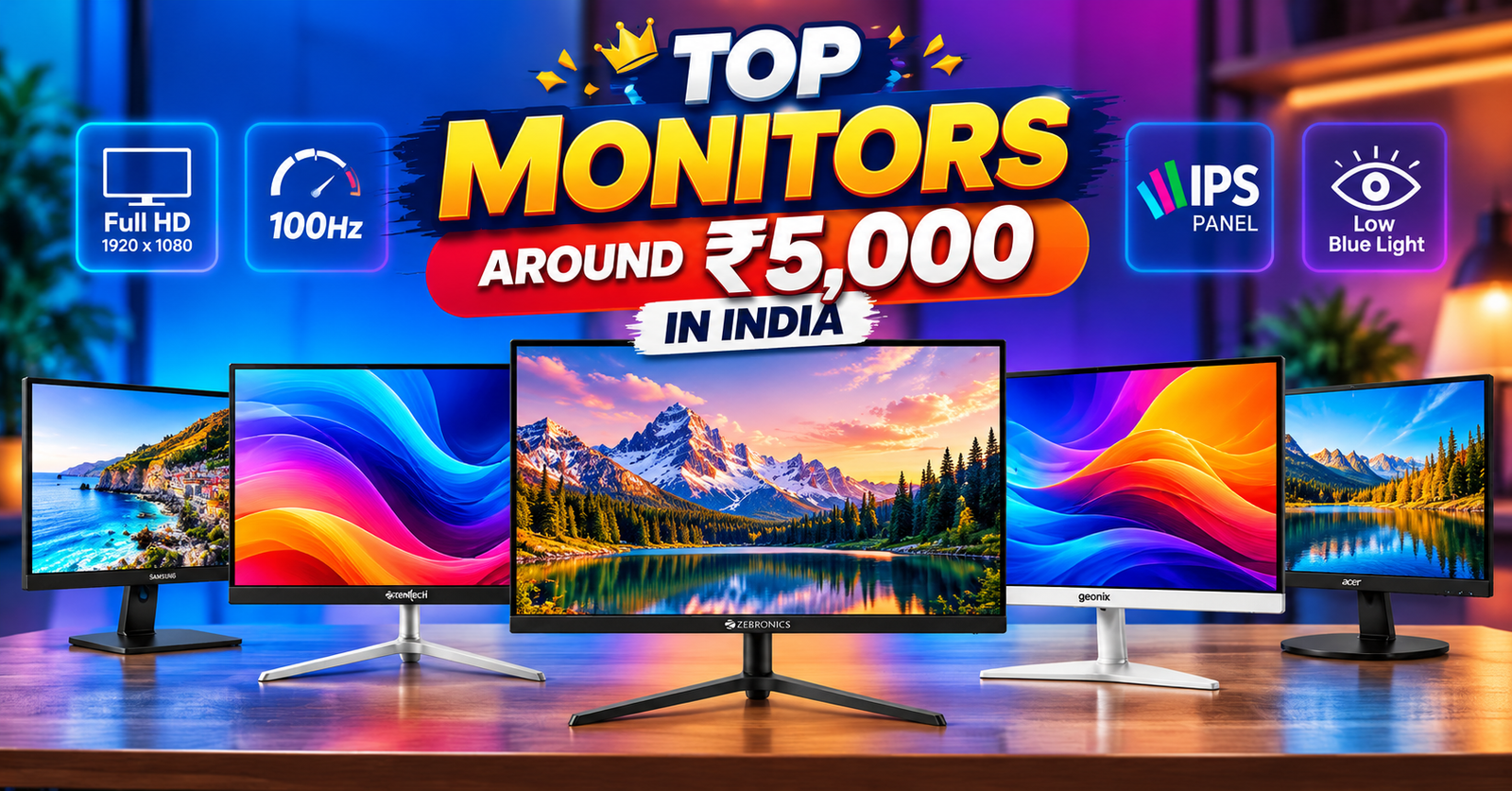
Finding a good monitor around ₹5,000 in India can be difficult when you want a large screen, Full HD resolution and a decent refresh rate. Several budget models advertise these features, but their actual prices, availability and specifications can differ between sellers.
For this guide, we have shortlisted five 22-inch-class options from HP, Geonix, Acer, Frontech and Zebronics. They cover basic study and office work, everyday entertainment and casual gaming. However, the ₹5,000 budget needs some flexibility: a few models are available near this amount, while others are better treated as alternatives if you can spend more.
Prices mentioned below are observed listings from manufacturer stores and price-comparison sources, checked on 18 October 2026. They can change with seller, stock, delivery location and offers.
Key Takeaways
- Choose a native resolution of 1920 × 1080 pixels for Full HD.
- he HP Series 3 Pro 322pv offers Full HD resolution and up to 100Hz over HDMI
- The Acer EK220Q J0 is a 21.5-inch-class Full HD VA monitor with a 120Hz refresh rate.
- Frontech’s 22-inch Ultima listing advertises Full HD resolution, 100Hz and a three-year warranty.
- Confirm the Geonix model’s current price and specifications directly on its Flipkart listing before buying.
- The Zebronics A122 FHD LED is listed with a 100Hz refresh rate, Full HD resolution, HDMI and VGA. Its current displayed prices are above ₹5,000.
Best Monitors Under ₹5,000 in India
For a monitor around ₹5,000, start by comparing the Geonix GXTFT22WH and Zebronics A122FHD. Both appear in Indian price listings near this budget, although the Geonix listing has been marked out of stock by a price tracker and Zebronics’ own store lists the A122FHD above ₹5,000. The Acer EK220Q series is another option worth considering if you can stretch the budget slightly.
The Frontech Ultima 22-inch curved monitor is worth a look if you specifically want a curved screen, while the HP Series 3 Pro 322pv is a higher-priced alternative rather than a strict ₹5,000 pick
| Monitor | Screen Size | Resolution | Panel / Refresh Rate | Indicative Price | Best For |
|---|---|---|---|---|---|
| HP Series 3 Pro 322pv | 21.45-inch | Full HD | VA / 100Hz | ₹5,999 | Office work and productivity |
| Geonix GXTFT22WH | 22-inch class | Full HD | VA / 75Hz | ₹4,699* | Budget-conscious buyers |
| Acer EK220Q J0 | 21.5-inch | Full HD | IPS / 120Hz | ₹5,299 | Study, work and casual gaming |
| Frontech Ultima MON-0079C | 22-inch class | Full HD | Curved VA / 100Hz | ₹4,827 | Buyers who prefer curved screens |
| Zebronics A122FHD | 22-inch class | Full HD | Verify exact panel / 100Hz | ₹4,699* | Everyday computing |
*Prices are indicative references, not guaranteed current offers. The Geonix listing was marked out of stock on one price tracker. The ₹4,699 Zebronics reference may refer to a different A122 variant. Verify the exact model number, availability and warranty before purchasing. Prices can change.
1. HP Series 3 Pro 322pv — For Everyday Work and Study
The HP Series 3 Pro 322pv is a 21.45-inch Full HD monitor designed for everyday productivity. It has a VA panel, a native resolution of 1920 × 1080 pixels and a listed maximum brightness of 250 nits. HP specifies a 100Hz refresh rate over HDMI, while VGA supports lower refresh rates.
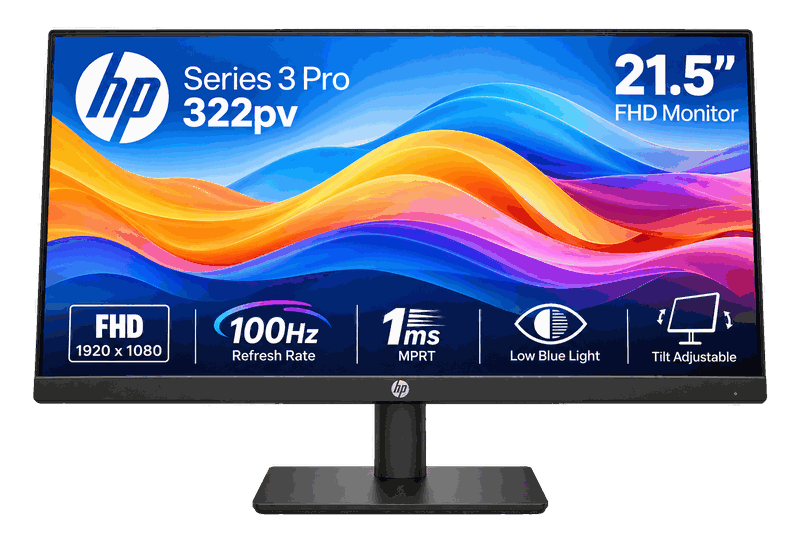
HP Series 3 Pro 322pv
For Everyday Work and Study
Key Specifications
- Display: 21.45-inch-class Full HD VA
- Refresh rate: 100Hz (listed)
- Connectivity: HDMI and VGA
Our Verdict
Consider this monitor if you want a larger Full HD display on a tight budget. Confirm the exact model, seller, return policy and warranty before buying.
Price and availability may change. Verify the current listing before purchasing.
Why consider it?
- Full HD resolution: Its 1920 × 1080 resolution provides clear text and enough workspace for everyday office tasks, online classes and browsing.
- VA panel: Suitable for general productivity, spreadsheets and watching videos, with the contrast typical of VA displays.
- 100Hz refresh rate: Offers smoother scrolling and everyday movement than a standard 60Hz monitor, provided the connection and settings support 100Hz.
- 21.45-inch screen: A practical size for compact desks, home offices and student study setups.
- Trusted brand option: Worth considering if you prefer an established monitor brand for routine work and study.
- Eye-comfort features: HP Eye Ease low-blue-light technology and a flicker-free display are useful for people who spend long hours reading or working.
What to consider: Buy it only if the price fits your revised budget or you find a verified, attractive offer. Confirm the SKU and the warranty terms before checking out.
Best suited for: Office work, online classes and everyday desktop use when the budget can stretch beyond ₹5,000.
Limitations:
- Basic resolution: Full HD is suitable for everyday work, but it lacks the extra workspace of a QHD or 4K monitor.
- VA panel limitations: Viewing angles and colour consistency may not be ideal for professional photo editing or colour-critical work.
- Limited gaming features: The 100Hz refresh rate is suitable for casual gaming, but it lacks advanced gaming features found on dedicated gaming monitors.
- Basic ergonomics: The stand offers limited adjustment compared with monitors that support height, swivel and pivot adjustments.
- No built-in speakers: You may need separate speakers or headphones for audio.
2.Acer EK220Q J0 — A 120Hz Full HD Option
The Acer EK220Q J0 is worth comparing if you can spend a little more than ₹5,000. the EK220Q E3, has a 21.5-inch viewable IPS panel, 1920 × 1080 resolution, a 100Hz refresh rate and AMD FreeSync compatibility. Acer also specifies HDMI and VGA connectivity
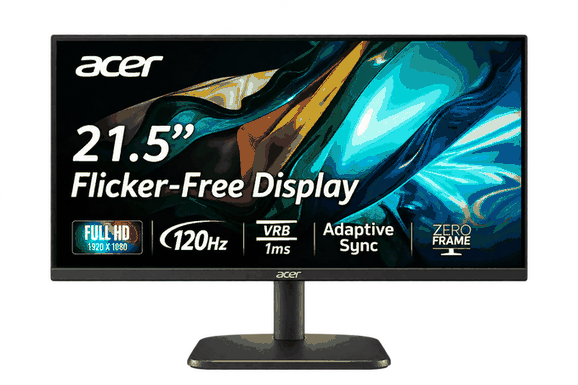
Acer EK220Q J0
A 120Hz Full HD Alternative.
Key Specifications
- Display: 21.5-inch-class Full HD VA
- Refresh rate: 120Hz (listed)
- Connectivity: HDMI and VGA
Our Verdict
the Acer EK220Q J0 is worth considering if you find it around ₹5,000–₹6,000. It offers a useful combination of Full HD resolution, a 120Hz refresh rate, Adaptive Sync, and HDMI connectivity at a budget-friendly price. If your primary needs are studying, coding, office work, entertainment, and occasional gaming, it is a strong value-oriented option.
Price and availability may change. Verify the current listing before purchasing.
Why consider it?
- Budget-Friendly Choice: A practical option for students and home users looking for a Full HD monitor without spending much.
- Full HD Display: The 21.5-inch screen with 1920 × 1080 resolution delivers clear text and sharp visuals for studying, coding, browsing, and office work.
- 120Hz Refresh Rate: Provides smoother scrolling and motion than a standard 60Hz display, making everyday use and casual gaming feel more responsive.
- VA Panel: Offers good contrast and deeper blacks for watching videos and enjoying content.
- Adaptive Sync Support: Helps reduce screen tearing during gaming when used with compatible hardware.
- HDMI Connectivity: Makes it easy to connect to a desktop PC, laptop, or other compatible device.
Limitations:
- Small Screen Size: The 21.5-inch display may feel cramped when multitasking with multiple windows or working with large spreadsheets.
- Limited Ergonomic Adjustments: The basic stand may offer only tilt adjustment, limiting your options for changing the screen height.
- VA Panel Motion Smearing: Dark scenes may show some smearing or ghosting during fast-paced games.
- Basic Colour Performance: It may not be the best choice for professional photo editing, video production, or colour-critical work.
- Limited Connectivity: HDMI connectivity may be sufficient for most users, but check the available ports if you need DisplayPort or additional connections.
- Refresh Rate Compatibility: To use the advertised 120Hz refresh rate, you may need to select the correct setting in Windows and use a compatible connection and graphics hardware.
3. Geonix GXTFT22WH — A Budget-Focused Full HD Option
The Geonix GXTFT22WH is one of the more relevant choices for buyers trying to stay close to ₹5,000. Available specifications identify it as a 22-inch-class monitor with Full HD resolution, a VA panel and a 75Hz refresh rate. It also lists HDMI and VGA inputs
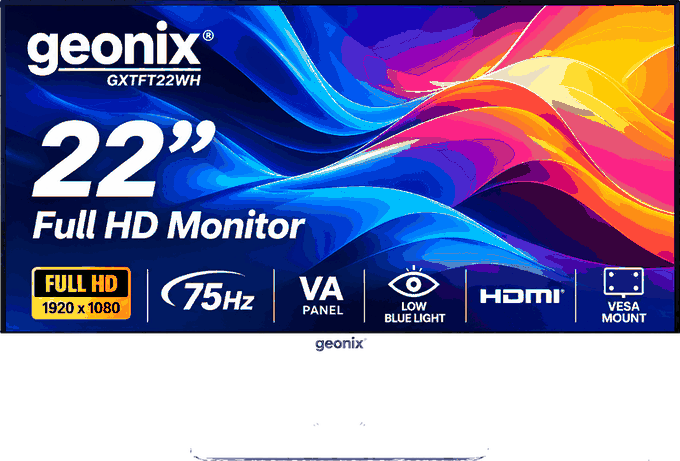
Geonix GXTFT22WH
A Budget-Focused Full HD Option.
Key Specifications
- Display: 22-inch-class Full HD VA
- Refresh rate: 75Hz (listed)
- Connectivity: HDMI and VGA
Our Verdict
Consider the Geonix GXTFT22WH if you find it near ₹4,500 and primarily need a monitor for browsing, studying, office tasks, and watching videos. At this price, it offers useful basic features, but check the seller’s return policy and after-sales support before placing your order.
Price and availability may change. Verify the current listing before purchasing.
Why Consider It?
- Full HD Resolution: The 22-inch-class display offers 1920 × 1080 resolution for clear text, documents, and everyday browsing.
- 75Hz Refresh Rate: Provides slightly smoother scrolling and motion than a standard 60Hz monitor.
- HDMI and VGA Connectivity: Supports connections to compatible laptops, desktop PCs, and older systems.
- Suitable for Daily Work: A practical choice for online classes, office applications, web browsing, and video streaming.
- Budget-Friendly Option: Can suit buyers looking for an affordable monitor for basic computing.
- Advertised Warranty: The listed three-year warranty may provide additional peace of mind, subject to the seller’s terms and manufacturer confirmation.
Limitations
- Basic Refresh Rate: The 75Hz refresh rate is suitable for everyday use and casual gaming but falls short of 100Hz or 120Hz monitors for smoother motion.
- Limited Gaming Features: It may lack advanced gaming features such as a higher refresh rate and dedicated gaming controls.
- Basic Colour Performance: It may not be suitable for professional photo editing, video production, or colour-critical tasks.
- Limited Ergonomic Adjustments: The stand may offer limited flexibility for adjusting screen height and viewing angles.
- Basic Connectivity: HDMI and VGA may be sufficient for most users, but the lack of additional ports could limit connectivity options.
- After-Sales Support: Check warranty coverage, service availability in your area, and the return policy before buying.
- Verify Specifications: Confirm the actual screen size, native resolution, panel type, and warranty terms on the seller’s listing, as specifications can vary or be incorrectly advertised.
4. Frontech Ultima Series 22-Inch Curved Monitor — For a Curved Screen
The Frontech Ultima MON-0079C is the option to examine if you specifically want a curved display. Frontech lists a 22-inch curved VA panel, Full HD resolution and a 100Hz refresh rate. The monitor also has HDMI and VGA inputs and supports wall mounting.
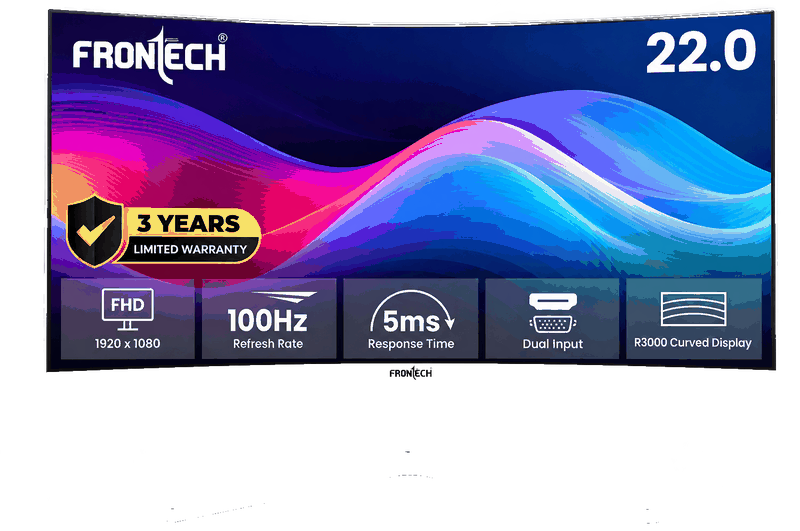
Frontech Ultima Series
For a Curved Screen.
Key Specifications
- Display: 22-inch-class Full HD VA
- Refresh rate: 100Hz (listed)
- Connectivity: HDMI and VGA
Our Verdict
Consider the Frontech Ultima Series 22 if it fits your budget and you mainly need a monitor for everyday tasks. If you prioritise smoother gaming, a higher refresh rate, or better ergonomic adjustments, compare it with alternatives offering 100Hz or 120Hz refresh rates before making your final decision.
Price and availability may change. Verify the current listing before purchasing.
Why Consider It?
- Full HD Resolution: The 22-inch display offers 1920 × 1080 resolution for clear text, documents, and everyday browsing.
- Curved VA Panel: The 3500R curved screen provides a slightly immersive viewing experience for work and entertainment.
- 75Hz Refresh Rate: Delivers smoother scrolling and motion than a standard 60Hz display. Some newer listings advertise 100Hz, so verify the exact model specification before buying.
- HDMI and VGA Connectivity: Supports connections to modern laptops, desktop PCs, and older computers.
- Slim, Bezel-Less Design: Its modern appearance suits compact home and office setups.
- Wall-Mount Support: Helps save desk space and provides more flexibility when arranging your workspace.
- Advertised Three-Year Warranty: Offers potential long-term value, subject to the manufacturer’s warranty terms.
Limitations
- Curved Screen Benefits Are Limited: The 3500R curvature provides a subtle effect on a 22-inch display, so the immersive experience may be less noticeable.
- Basic Gaming Performance: It may suit casual gaming, but it is not the best choice for competitive gaming or users who need advanced gaming features.
- Limited Ergonomic Adjustments: The stand may offer limited height and swivel adjustment, so check its flexibility before buying.
- Basic Connectivity: HDMI and VGA may cover common needs, but the lack of additional ports could be inconvenient for some setups.
- Not Ideal for Professional Colour Work: Colour accuracy and panel performance should be verified before using it for professional photo editing or video production.
- Brand and Service Availability: Check local after-sales support, warranty coverage, and the return policy before placing an order.
5. Zebronics A122FHD — A Full HD Monitor Worth Price-Checking
The Zebronics A122FHD is another model to compare when shopping for a budget Full HD monitor. The manufacturer’s listing specifies a 22-inch-class display, a 1920 × 1080 resolution, a 100Hz refresh rate and HDMI and VGA inputs. It also specifies 250-nit brightness and a 4ms response time.
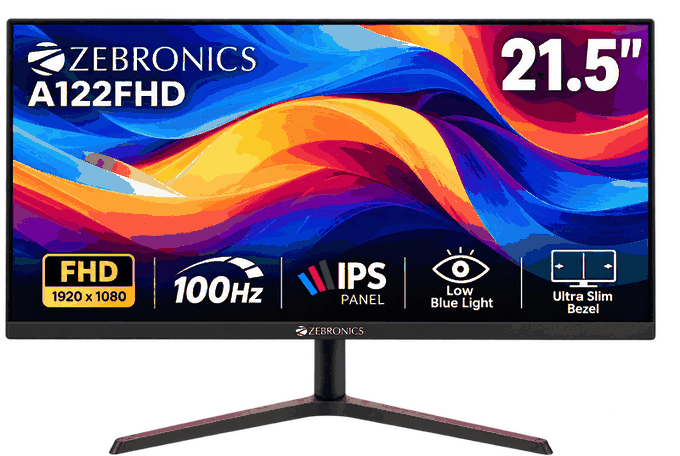
Zebronics A122FHD
A Full HD Monitor Worth Price-Checking.
Key Specifications
- Display: 21.5-inch-class Full HD VA
- Refresh rate: 100Hz (listed)
- Connectivity: HDMI and VGA
Our Verdict
Consider the Zebronics A122FHD if you find it around ₹5,000–₹5,500 and want a Full HD monitor for everyday work and casual gaming. Before buying, verify the exact model variant, included features, warranty terms, and seller return policy, as listings can differ.
Price and availability may change. Verify the current listing before purchasing.
Why Consider It?
- Full HD Resolution: The 21.5-inch display with 1920 × 1080 resolution delivers clear text and detailed visuals for studying, coding, and office work.
- 100Hz Refresh Rate: Offers smoother scrolling and motion than a standard 60Hz monitor, making everyday use and casual gaming more enjoyable.
- Anti-Glare Screen: Helps reduce reflections from ambient light, making the display more comfortable to use in typical indoor environments.
- HDMI and VGA Connectivity: Supports connections to compatible laptops, desktop PCs, and older computers.
- Suitable for Everyday Tasks: Works well for online classes, document editing, web browsing, and video streaming.
- Budget-Friendly Choice: A practical option for users who want a Full HD monitor with a higher refresh rate without spending much.
Limitations
- Limited Screen Size: The 21.5-inch display may feel cramped when multitasking with several windows or working on large spreadsheets.
- Average Brightness: The 250-nit brightness may be less suitable for brightly lit rooms or areas with direct sunlight.
- Basic Stand Adjustments: The stand may offer limited ergonomic flexibility, particularly if you need height or swivel adjustment.
- Casual Gaming Focus: The 100Hz refresh rate improves motion smoothness, but the monitor may lack advanced gaming features found in dedicated gaming models.
- Limited Connectivity: HDMI and VGA cover basic requirements, but additional ports may be unavailable for connecting multiple modern devices.
- Not Ideal for Professional Editing: Verify colour accuracy and panel specifications before relying on it for professional photo or video editing.
- Warranty and Service Checks: Confirm the warranty terms, local service availability, and return policy before purchasing.
How to Choose the Best Monitor Around ₹5,000
Before buying any of these monitors, check the following features in order of importance.
1. Choose Full HD resolution
A Full HD monitor has a native resolution of 1920 × 1080. It is a sensible target for a 22-inch-class display because it provides a useful workspace for documents, spreadsheets, browsers and online classes.
Do not assume every monitor described as an LED monitor is Full HD. LED refers to its backlighting technology, while resolution describes the number of pixels.
2. Compare refresh rates
Refresh rate measures how many times the display can refresh its image each second.
| Refresh rate | What to expect |
|---|---|
| 60Hz | Adequate for everyday office work and casual viewing |
| 75Hz | Somewhat smoother motion and scrolling than 60Hz |
| 100Hz | Smoother scrolling and supported gameplay when the computer delivers suitable frame rates |
A 100Hz monitor cannot force a game to produce 100 frames per second. Actual game performance depends on the computer’s graphics hardware, game settings and the monitor’s supported modes.
3. Check panel type
An IPS panel is often a useful choice for people who view a display from different positions. A VA panel can offer stronger native contrast, which may make dark scenes more satisfying. Neither panel type guarantees excellent colour accuracy or response performance by itself.
For study and office work, prioritise readable text, comfortable brightness, a useful stand and a clear warranty over marketing terms.
4. Check the ports
HDMI is the convenient choice for most modern PCs and laptops. VGA may be helpful when connecting an older desktop, but it is an analogue connection and generally less desirable than HDMI for a modern Full HD setup.
Check that your computer has a compatible port and that the required cable is supplied. Do not assume every monitor includes an HDMI cable unless the product listing confirms it.
5. Check warranty and return terms
A low selling price is not the only factor that determines value. Before buying, check:
- The exact model number and whether it is a new unit.
- The warranty period and who handles service.
- The return and replacement policy, including how display defects are handled.
- Seller feedback, delivery charges and the final checkout price.
These checks are particularly important when purchasing a budget model through a marketplace.
Is a Gaming Monitor Around ₹5,000 Worth Buying?
A monitor in this price range can be suitable for casual gaming, older titles and games that do not require a high-end display. A 75Hz or 100Hz refresh rate can provide smoother motion than 60Hz when the rest of the setup supports it.
However, buyers should set realistic expectations.
- Competitive gaming: A dedicated gaming monitor with stronger motion handling, lower latency and more gaming features may be worth the additional cost.
- Casual gaming: A Full HD monitor with 75Hz or 100Hz may be sufficient for lighter games.
- Story-driven games: Contrast, colour quality and resolution may matter more to your experience than the highest refresh rate.
- Curved displays: A curve changes the viewing experience, but it does not automatically make a monitor faster.
The Frontech Ultima MON-0079C is the curved option in this shortlist, but its current official price is above the target budget. Buyers should compare its overall specifications with a flat Full HD monitor before paying extra for curvature.
| Problem | What to Do |
|---|---|
| Text looks blurry | Open display settings and select the monitor’s native resolution. |
| The monitor only runs at 60Hz | Check the available refresh-rate options, cable and connection. Confirm that the monitor supports the desired refresh rate. |
| The screen says “No Signal” | Check that the cable is connected to the correct port, select the correct input source and restart the computer if necessary. |
| Colours look incorrect | Reset the monitor’s picture settings and check the graphics settings. |
| The image flickers | Check the cable and refresh-rate setting. Update the graphics drivers if needed. |
| The monitor arrives damaged | Photograph the packaging and damage, then follow the seller’s stated return or replacement process promptly. |
Final Takeaway
The best monitor around ₹5,000 depends on the price you can actually obtain and the features you need. The Geonix GXTFT22WH and Zebronics A122FHD are the first two worth price-checking for a tight budget, while the Acer EK220Q series is worth considering if you want a 100Hz Full HD display and can stretch slightly.
The Frontech Ultima is an option for buyers who specifically want a curved screen, while the HP Series 3 Pro 322pv belongs in a higher-budget comparison. Before purchasing, verify the exact model number, resolution, refresh rate, seller, warranty and final price.
READ THIS ALSO : Best Gaming Laptop Under ₹65,000 in India
FAQ
1. Which is the best monitor around ₹5,000 in India?
Start by comparing the Geonix GXTFT22WH and Zebronics A122FHD, provided an authentic listing is available within your budget. Check the exact SKU, warranty and refresh rate before purchasing. If you can spend slightly more, the Acer EK220Q series is worth considering for its 100Hz Full HD options.
2. Can I get a 22-inch Full HD monitor under ₹5,000?
Yes, such models have appeared in Indian price listings. The Geonix GXTFT22WH and Zebronics A122 are examples, although current availability and prices can vary. Check the listing’s native resolution, exact model number, seller and warranty rather than relying on the product’s headline price alone.
3. Is a 75Hz monitor good for office work?
Yes. A 75Hz monitor is suitable for document editing, web browsing, online classes and most routine productivity tasks. Its higher refresh rate compared with 60Hz can make scrolling feel smoother. For ordinary office work, resolution, text clarity, screen comfort and the stand may matter more than pushing for an even higher refresh rate.
4. Is a 100Hz monitor good for gaming?
A 100Hz monitor can provide smoother motion than a 60Hz monitor if the computer and game can produce suitable frame rates. However, the refresh rate alone does not tell you everything about gaming performance. Response behaviour, input lag, variable-refresh-rate support and the graphics hardware also matter.
5. Is a curved monitor better than a flat monitor?
Not necessarily. Curved screens can offer a different viewing experience, but the benefit depends on screen size, curvature and viewing distance. At around 22 inches, curvature is largely a personal preference. Compare the price, panel quality and warranty before paying more for a curved model.
6. Which is better for reading and studying, IPS or VA?
Both can work well. IPS panels generally offer consistent viewing angles, while VA panels can provide higher native contrast. Actual text clarity and colour quality depend on the particular monitor, its resolution and its settings. For studying, a Full HD resolution, appropriate brightness and a comfortable viewing position are more useful than choosing by panel label alone.
7. Is Full HD enough for a 22-inch monitor?
For most everyday users, yes. Full HD means 1920 × 1080 pixels, which is a practical resolution for a 22-inch-class monitor. It provides enough workspace for common office documents, web browsing and online classes. Make sure your computer is set to the monitor’s native resolution for the clearest image.
8. What should I check before buying a budget monitor online?
Confirm the full model number, native resolution, refresh rate, panel type, connectivity and warranty period. Check that the final price includes applicable delivery charges, and read the seller’s return policy. For an offer that is far below other listings, verify the seller and whether the product is new and covered by manufacturer warranty.
9. Can I connect a budget monitor to a laptop?
Yes, provided the laptop has a compatible display output or you use a suitable adapter. HDMI is common on many laptops, while some models use USB-C or other outputs. Check whether the selected connection supports the monitor’s native resolution and refresh rate. A suitable cable or adapter may add to the final cost.
10. Why does my new monitor only show 60Hz?
First, confirm that the exact monitor model supports a higher refresh rate at your selected resolution. Then open Settings → System → Display → Advanced display in Windows and review the available refresh rates. If the higher option is missing, check the cable, connection, graphics driver and monitor specification. The available choices depend on what the display and computer support.