
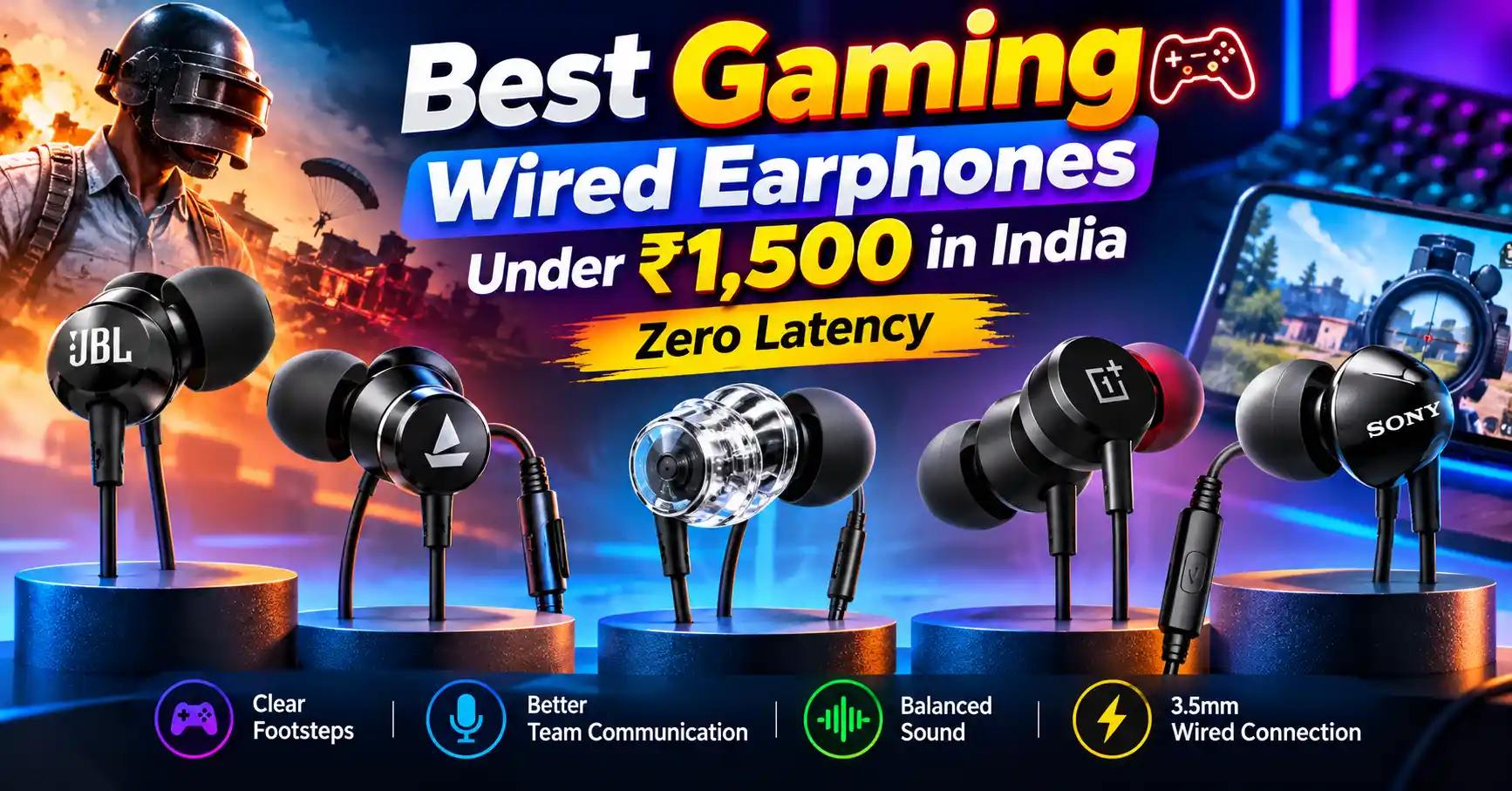
Wired earphones are a good choice for mobile and PC gamers who want quick audio response without worrying about battery life or Bluetooth delays. Whether you play BGMI, Call of Duty: Mobile, Free Fire MAX, Valorant, or other competitive games, good earphones can help you hear footsteps, identify gunfire, and communicate clearly with your teammates.
You do not need to spend thousands of rupees on a dedicated gaming headset. Many affordable wired earphones offer a comfortable fit, an in-line microphone, and sound quality that works well for gaming.
Which Gaming Wired Earphones Should You Buy?
The OnePlus Nord Wired Earphones are a good all-round option if you want earphones for gaming, music, and calls. They also include an in-line microphone.
The Sony MDR-EX155AP is worth considering if you prefer compact earphones for everyday listening and gaming. The JBL C200SI and JBL C100SI are budget-friendly options for casual gamers.
Key Takeaways
- Low audio delay: Wired earphones avoid the extra audio transmission delay associated with Bluetooth.
- Affordable options: You can find suitable wired earphones for much less than ₹1,500, although prices and stock vary.
- Clear footsteps: Balanced sound can help you hear footsteps more clearly than earphones with overly strong bass.
- In-line microphone: A built-in mic helps you talk to your squad, but background noise and device compatibility can affect voice quality.
- No charging needed: Wired earphones do not need a separate battery.
- Check the port: If your phone does not have a 3.5mm headphone jack, you may need a compatible USB Type-C to 3.5mm adapter.
Why Choose Wired Earphones for Gaming?
Wired earphones connect directly to your phone, laptop, or other compatible device. Unlike Bluetooth earphones, they do not send audio wirelessly.
This avoids Bluetooth transmission delay, which can be useful in competitive games. You may need to react quickly to footsteps, gunfire, reloads, and other sounds during a match.
1. Lower Audio Delay
2. No Battery Worries
3. Affordable Options
4. Easy Voice Chat
Top 5 Gaming Wired Earphones Under ₹1,500 in India
1. OnePlus Nord Wired Earphones — Best Overall
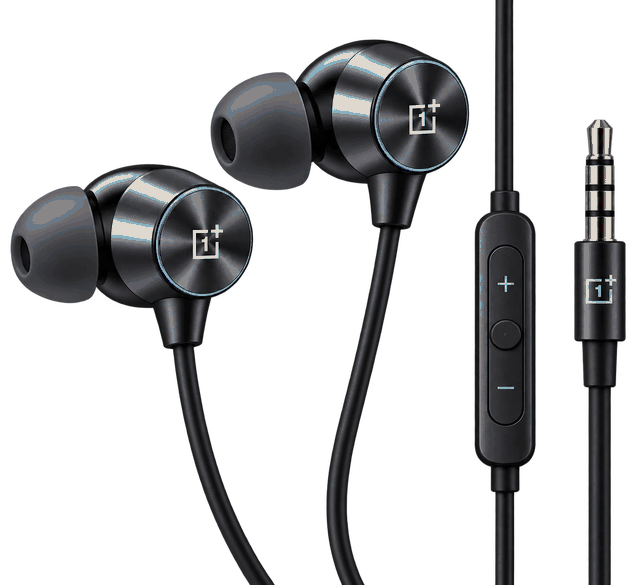
The OnePlus Nord Wired Earphones are a practical choice for gamers who also listen to music, watch videos, attend online classes, and make calls.
 ⭐4.1/5
OnePlus Nord
Our verdict: These earphones are a sensible starting point for budget-conscious mobile gamers. They offer a convenient design for everyday use without the need for charging.
Gaming performance:
The 9.2mm drivers provide sound for gaming, music, and videos. However, the gaming experience also depends on how clearly the earphones reproduce footsteps, dialogue, gunfire, and other sounds.
Comfort and build quality:
The lightweight design makes these earphones suitable for mobile gaming. The supplied ear tips help you find a comfortable fit.
A good fit can also reduce some outside noise. This is called passive noise isolation, which means the earphones block some noise through their physical design rather than using electronic noise cancellation.
Pros
- Lightweight design for mobile gaming
- 3.5mm wired connection
- In-line microphone and controls
- Suitable for gaming and everyday listening
- No separate earphone battery to charge
Limitations
- No dedicated gaming software or special positional-audio features
- Microphone quality may be limited in noisy places
- Sound preferences vary from person to person
- Requires an adapter for devices without a headphone jack
Why should you buy it?
Choose the OnePlus Nord Wired Earphones if you want one affordable pair for gaming, music, and calls. They are more suitable for everyday use than buyers who need specialised esports features.
2. Sony MDR-EX155AP — Best for Everyday Listening and Gaming
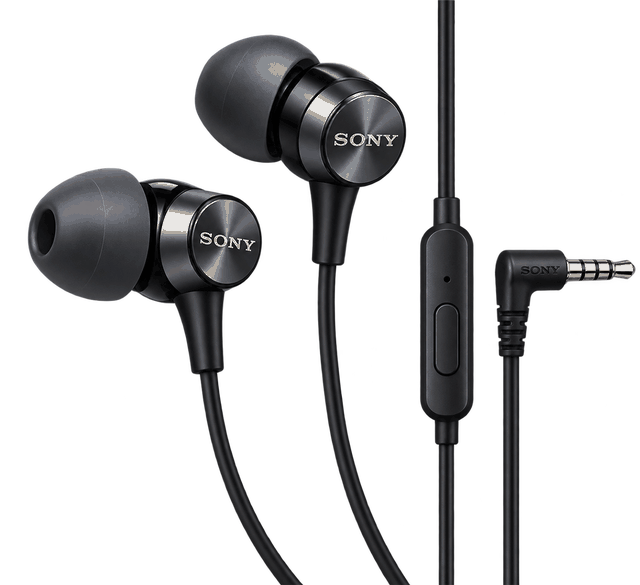
The Sony MDR-EX155AP is a compact pair of wired earphones designed mainly for music, calls, and everyday listening.
 ⭐4.0/5
Sony MDR-EX155AP
Our verdict: The Sony MDR-EX155AP is a useful everyday option. However, do not pay extra only because you expect better footsteps. Compare its current price with the OnePlus and JBL models before buying.
Gaming performance:
The Sony MDR-EX155AP can reproduce common gaming sounds, including footsteps, character dialogue, gunfire, and environmental effects.
However, its 9mm drivers do not automatically make it more accurate than other models.
For competitive shooters, sound balance and fit are important. You should also be able to distinguish quieter sounds from louder effects.
Comfort and noise isolation:
The compact earpieces fit inside your ears. The supplied ear tips help you choose a suitable size.
A good fit can block some outside noise and help you focus during a match. It uses passive noise isolation rather than active noise cancellation (ANC).
Pros
- Compact and lightweight design
- Suitable for everyday listening and casual gaming
- Wired connection without Bluetooth transmission delay
- In-line microphone for calls and voice chat
- Convenient for users who prefer small earphones
Limitations
- Not designed specifically for esports gaming
- No dedicated gaming equaliser or positional-audio software
- Cable life depends on how you handle it
- May cost more than the entry-level JBL option
Why should you buy it?
Consider the Sony MDR-EX155AP if you want compact wired earphones for music, videos, calls, and occasional competitive gaming.
3. realme Buds 3 — Best Budget Alternative for Daily Use
 ⭐4.1/5
realme Buds 3
Our verdict: This can be a budget option for casual gaming and everyday use, provided you verify the exact model, microphone, warranty, and seller.
Gaming performance:
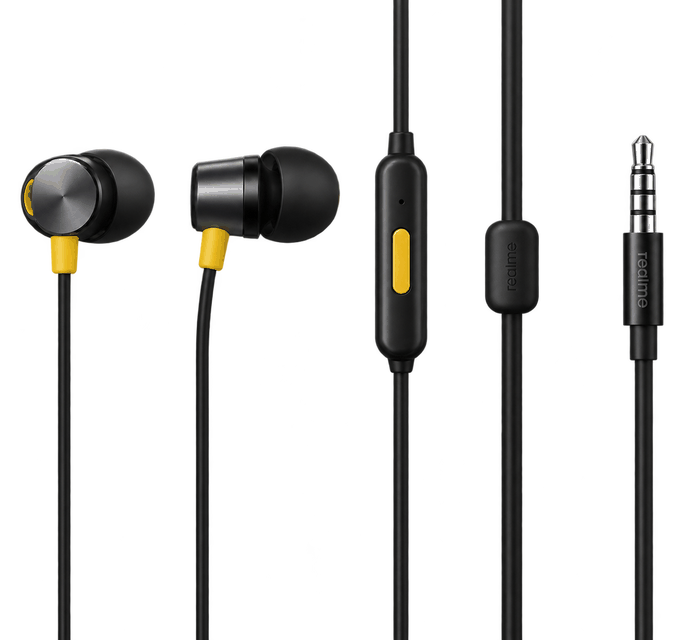
For casual gaming, wired realme earphones can reproduce common sounds such as footsteps, gunfire, and teammate voices.
The actual experience depends on the model’s sound tuning and the game’s audio settings.
Comfort and durability:
The in-ear design can help keep the earphones in place during mobile gaming. Comfort depends on your ear shape and the supplied ear tips.
Pros
- May be available at an affordable price
- Convenient wired connection
- Suitable for everyday listening and casual gaming
- No separate battery or charging needed
Limitations
- Current availability and exact specifications need checking
- Sound tuning may not suit every competitive gamer
- Microphone performance depends on the specific model
- No dedicated gaming features
Why should you buy it?
Consider the realme Buds 3 if you find a genuine listing with confirmed specifications and a competitive price. Compare it with more easily available alternatives before ordering.
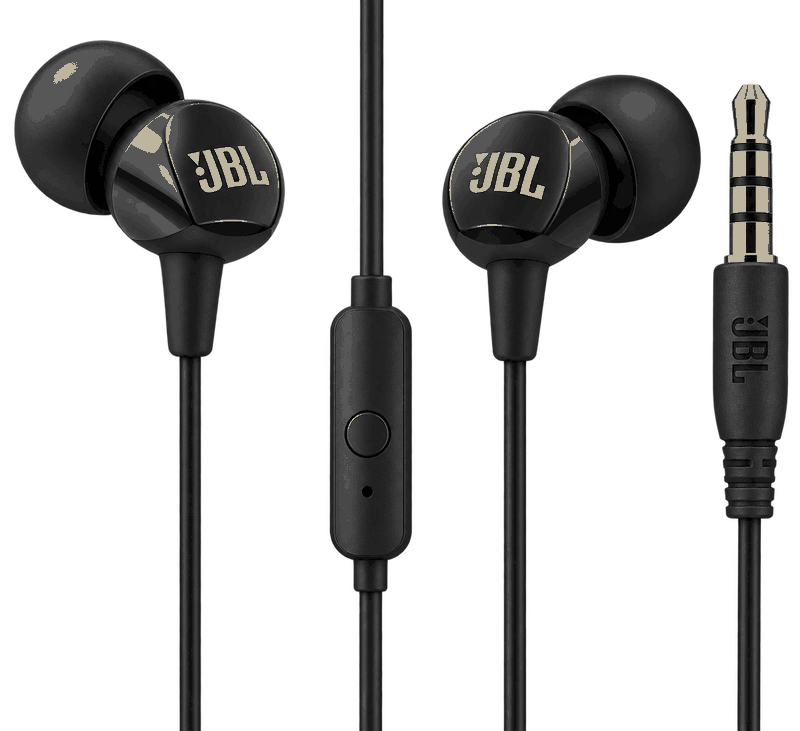
4. JBL C200SI — Best for Casual Gaming and Entertainment
The JBL C100SI is a budget-friendly pair of wired earphones for people who want simple audio equipment without paying extra for wireless features.
 ⭐4.1/5
JBL C200SI
Our verdict: This is a practical entry-level option for occasional gamers. If you play competitive shooters regularly, compare its sound and comfort with the OnePlus and Sony models before buying.
Gaming performance
The C100SI can reproduce common gaming sounds such as footsteps, gunfire, vehicle sounds, and dialogue.
However, accurate directional audio depends on the game’s sound system and the earphones’ sound characteristics.
For competitive gaming, avoid turning the volume too high just to hear footsteps. Instead, adjust the game audio settings where possible and choose ear tips that fit well.
Comfort and noise isolation
The compact design and supplied ear tips can help you get a secure fit. A good seal also blocks some outside noise, which can be useful when gaming in a shared room
Pros
- Often available at a low price
- Simple 3.5mm wired connection
- In-line microphone
- Lightweight and easy to carry
- No earphone battery required
Limitations
- Basic gaming performance rather than specialised features
- No advanced microphone noise cancellation
- Cable and connector need careful handling
- Sound quality and comfort vary between users
Why should you buy it?
Choose the JBL C100SI if you want to spend as little as possible on wired earphones for casual gaming and everyday listening.
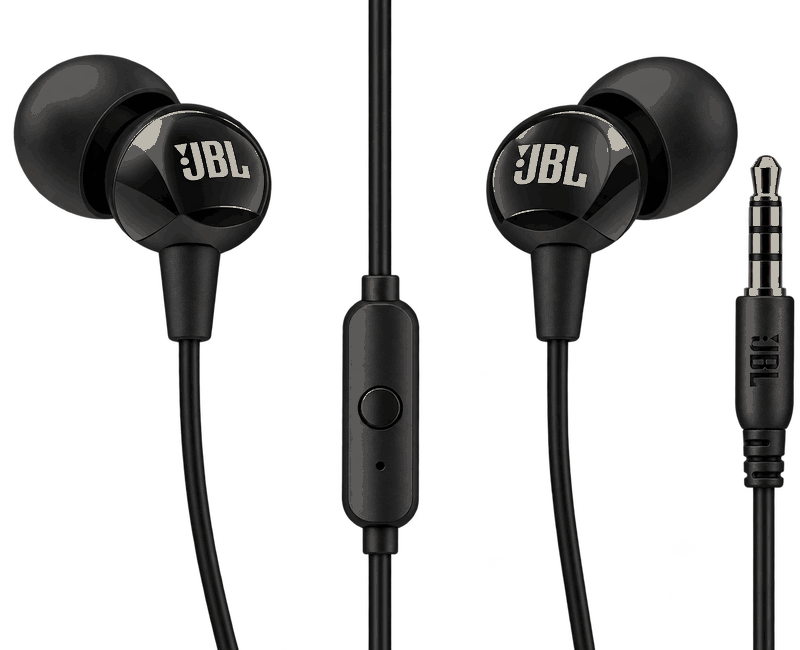
5. JBL C100SI — Best for a Strict Budget
 ⭐4.1/5
JBL C100SI
Our verdict: The JBL C100SI is a low-cost option for beginners, students, and occasional gamers. If you regularly play competitive shooters, compare it with the OnePlus Nord Wired Earphones to see whether the extra cost is worth it.
Gaming performance:
The C100SI can reproduce common gaming sounds such as footsteps, gunfire, vehicle sounds, and dialogue.
However, accurate directional audio depends on the game’s sound system and the earphones’ sound characteristics.
Comfort and noise isolation
The compact design and supplied ear tips can help you get a secure fit. A good seal also blocks some outside noise, which can be useful when gaming in a shared room.
Pros
- Often available at a low price
- Simple 3.5mm wired connection
- In-line microphone
- Lightweight and easy to carry
- No earphone battery required
Limitations
- Basic gaming performance rather than specialised features
- No advanced microphone noise cancellation
- Cable and connector need careful handling
- Sound quality and comfort vary between users
Why should you buy it?
Choose the JBL C100SI if you want to spend as little as possible on wired earphones for casual gaming and everyday listening.
Comparison Table: Best Wired Gaming Earphones Under ₹1,500
This table compares the main features of all five earphones. Prices are approximate, and you should check the exact product listing before buying.
| Earphone | Approx. Price | Driver Size | Connectivity | Microphone | Best Suited For |
|---|---|---|---|---|---|
| OnePlus Nord Wired Earphones | ₹679–₹899 | 9.2mm | 3.5mm | Yes | Gaming and everyday use |
| Sony MDR-EX155AP | ₹999–₹1,190 | 9mm | 3.5mm | Yes | Compact everyday earphones |
| realme Buds 3 | Around ₹699 | Reported 9mm | 3.5mm | Verify variant | Budget-conscious casual users |
| JBL C200SI | Around ₹749 | 9mm | 3.5mm | Yes | Casual gaming and entertainment |
| JBL C100SI | Around ₹599 | 9mm | 3.5mm | Yes | Buyers on a strict budget |
Note: These are regular wired earphones, not dedicated gaming headsets. Check the exact realme Buds 3 model because specifications and availability may vary between listings.
Which Earphones Are Best for BGMI, COD Mobile, and PC Gaming?
Different games have different audio needs. Your choice should depend on whether you care most about footsteps, team communication, comfort, or price.
| Gaming Requirement | What to Look For | What to Expect |
|---|---|---|
| BGMI | Clear footsteps, comfortable fit, and low audio delay | Wired earphones are convenient for mobile gaming |
| Call of Duty: Mobile | Clear gunfire and dialogue, with balanced sound | Too much bass may hide quieter sounds |
| Free Fire MAX | Comfortable fit and clear sound effects | Affordable earphones may be enough for casual play |
| Valorant on PC | Directional audio, clear communication, and a compatible connection | A gaming headset may offer a better microphone and fit for long sessions |
| Long Gaming Sessions | Lightweight design and comfortable ear tips | Comfort depends on your ear shape and fit |
Are These Earphones Good for Competitive Gaming?
These earphones can work well for budget gaming, but they have some limitations.
Dedicated gaming headsets may offer better microphone placement, an over-ear design, and software features for adjusting sound. However, wired earphones are compact, easy to carry, and convenient for mobile gamers.
How to Choose the Best Gaming Earphones Under ₹1,500
1. Choose Clear Sound Over Heavy Bass
Strong bass can make explosions and engine sounds more enjoyable. However, it is not always helpful for competitive gaming.
Footsteps, reloads, and distant movement may be easier to hear when the sound profile keeps the midrange and treble clear. If your earphones sound too bass-heavy, adjust the game’s audio settings or use a compatible equaliser.
2. Check the Microphone
If you play with friends, microphone quality is important.
An in-line mic is convenient for mobile gaming. However, a dedicated boom microphone generally gives you more control over microphone placement.
Before buying, check whether the microphone works with your phone, laptop, or controller.
3. Check the Connector
Most earphones in this guide use a 3.5mm audio plug. Check your device’s ports before buying.
- Phone with a 3.5mm jack: Connect the earphones directly.
- Phone with only USB Type-C: You may need a compatible Type-C to 3.5mm adapter.
- Laptop with a combined headset port: A compatible TRRS plug generally supports both audio and microphone functions.
- Desktop with separate audio and microphone ports: You may need a compatible headset splitter.
Some USB Type-C adapters have a built-in digital-to-analogue converter (DAC). A DAC converts digital audio into an analogue signal that earphones can play.
Other adapters use different hardware arrangements. Check that the adapter supports your device and microphone before buying it.
4. Choose a Comfortable Fit
Earphones that hurt your ears after 30 minutes are not suitable for long gaming sessions.
Look for a lightweight design and different ear-tip sizes. A good fit can also help maintain consistent sound and block some outside noise.
Take breaks during long gaming sessions to avoid discomfort.
5. Check the Cable Quality
Wired earphones can last a long time if you handle them carefully. However, repeated bending and pulling can damage the cable.
Always hold the plug when disconnecting the earphones. Store the cable without tight knots, and avoid stretching it while playing.
6. Do Not Choose Earphones Based Only on Driver Size
A 9mm or 9.2mm driver does not automatically provide better gaming audio than a smaller driver.
Sound tuning, distortion, fit, and design also affect audio quality. Choose earphones that sound clear and feel comfortable rather than assuming a larger driver will make footsteps easier to hear.
7. Check the Warranty and Seller
Older earphone models may be available at low prices from different marketplace sellers.
Before buying, check the exact product name, included accessories, return policy, warranty, and seller reviews.
Buying from a reliable seller with clear warranty details is safer than choosing an unverified listing just because it is cheaper.
Common Problems and How to Fix Them
| Problem | Possible Cause | What to Do |
|---|---|---|
| No sound from one side | Loose plug or damaged cable | Reconnect the plug and test the earphones on another device. |
| Microphone not working | Adapter or port incompatibility | Check headset support and adapter compatibility. |
| Footsteps sound unclear | Too much bass or unsuitable game settings | Adjust the game audio and supported equaliser settings. |
| Earphones keep falling out | Wrong ear-tip size | Try another supplied ear-tip size. |
| Crackling audio | Loose connection or damaged cable | Check the connector and test the earphones on another device. |
| Low volume | Device settings or output limitations | Check volume settings and adapter compatibility. |
| Teammates hear background noise | Noisy surroundings or basic microphone processing | Reduce nearby noise and position the microphone properly. |
Frequently Asked Questions
1. Are wired earphones better than Bluetooth earphones for gaming?
Wired earphones generally have an advantage when you want to reduce connection-related audio delay. They do not rely on Bluetooth audio transmission.
However, total audio delay also depends on your device, game, and audio processing. Some specialised wireless gaming products can also offer low latency.
2. Do wired earphones really have zero latency?
Not in every situation. A direct analogue connection avoids Bluetooth transmission delay, but the game, operating system, and audio hardware can still add some delay.
So, “zero latency” is a common marketing term rather than a guarantee of zero milliseconds of total delay.
3. Which wired earphones are best for BGMI under ₹1,500?
The OnePlus Nord Wired Earphones are a reasonable all-round choice from this list.
The Sony MDR-EX155AP and JBL models are also worth considering, depending on their current prices, sound quality, and fit. No earphone can guarantee that you will hear every enemy first.
4. Is the JBL C100SI good for BGMI?
The JBL C100SI can be suitable for casual BGMI gaming. It offers a wired connection and an in-line microphone.
Its performance depends on the game’s audio settings, how well it fits your ears, and how clearly you can distinguish footsteps from louder sounds.
5. Can I use these earphones with a phone that has only USB Type-C?
Yes, you can use them with a compatible Type-C to 3.5mm adapter.
Check that the adapter supports audio output on your phone. If you also need the microphone, make sure the adapter supports headset microphone input.
6. Can I use these earphones with a gaming laptop?
Yes, if your laptop has a compatible 3.5mm headphone or headset port.
If your computer has separate headphone and microphone sockets, you may need a compatible splitter to use both functions.
7. Are gaming earphones better than gaming headsets?
Not always. Earphones are compact, portable, and convenient for mobile gaming.
Over-ear gaming headsets may be more comfortable for some people during long sessions. They can also offer better microphone placement and extra software features.
The right choice depends on your comfort and how you plan to use the product.
READ THIS ALSO : 5 Best Neckbands Under ₹1,000 in India (2026)