

If your TV’s built-in speakers sound thin or make dialogue difficult to hear, a soundbar can be a worthwhile upgrade without a big budget. Under ₹7,000, you can find compact 2.1 systems with a separate subwoofer as well as some 5.1-channel systems with rear satellite speakers.
My first recommendation depends on your setup: choose the Noise Homestage 2.1 for a simpler, everyday TV upgrade; consider the GOVO GoSurround 955 Pro if you specifically want a multi-speaker 5.1 arrangement and find it at the listed sale price. The GOVO GoSurround 900 is another option if a dedicated subwoofer and bass are your priorities.
These recommendations are based on published specifications and online price listings, not a controlled hands-on sound test. Prices and availability were checked on 27 October 2026 and can change by seller, PIN code, offer and delivery charges.
1. Noise Homestage 2.1 — best for everyday TV viewing
Best for: News, serials, sports, streaming and family TV use.
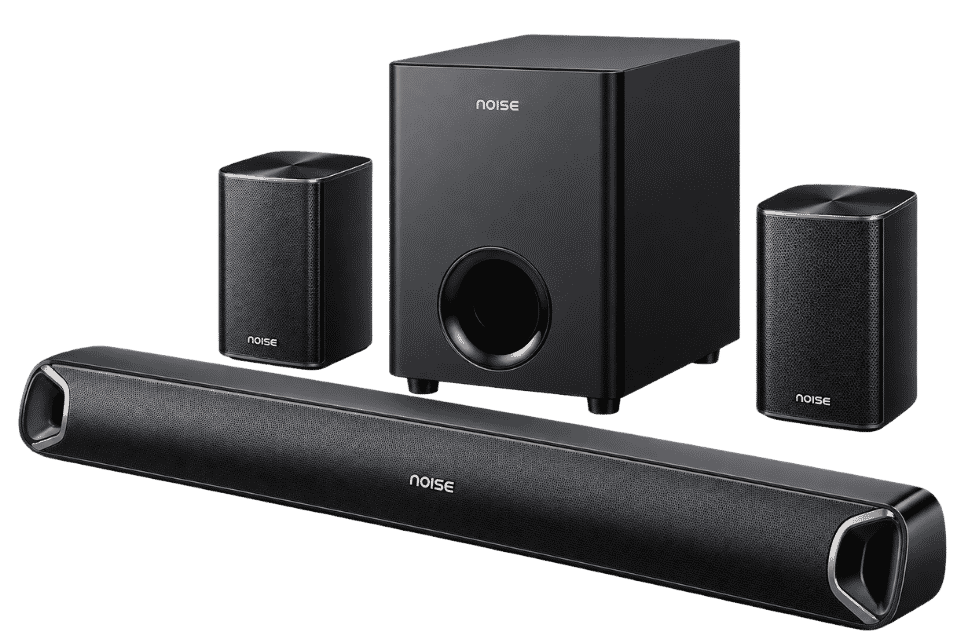
The Noise Homestage 2.1 is a practical starting point if you want to improve your TV’s built-in audio without installing separate rear speakers. It is listed with 90W output, a 2.1-channel setup, a dedicated subwoofer and four EQ modes. Noise’s current product collection has shown a ₹5,499 listed price with a lower offer price, keeping it within budget when the offer applies.
Noise Homestage 2.1
A 2.1-channel soundbar designed to improve everyday TV audio with a dedicated subwoofer and multiple sound modes.
Key Features
- Advertised 90W audio output
- 2.1-channel audio system
- Dedicated subwoofer
- Four EQ modes
- Multiple connection options
- Dolby Atmos support reported in launch information
Check the current product listing for exact ports, included cables and Dolby Atmos connection requirements.
Why consider it?
For regular television viewing, clear voices and easy operation may matter more than a very large wattage number. A 2.1 setup keeps the main speakers at the front and uses a separate subwoofer for lower frequencies. It is also simpler to place than a system with multiple rear speakers.
What to check before buying
Do not assume that every HDMI port supports ARC, or that a cable is included, without checking the product details. If Dolby Atmos is important to you, confirm the exact model’s supported audio format and connect it through a compatible TV/source setup.
Verdict: A sensible choice for most people who want a simple TV audio upgrade with a separate subwoofer. It is the easiest option in this shortlist to start with if you do not need rear speakers.
2. GOVO GoSurround 955 Pro — best 5.1 option
Best for: Buyers who want a subwoofer and separate satellite speakers for a more spread-out sound presentation.
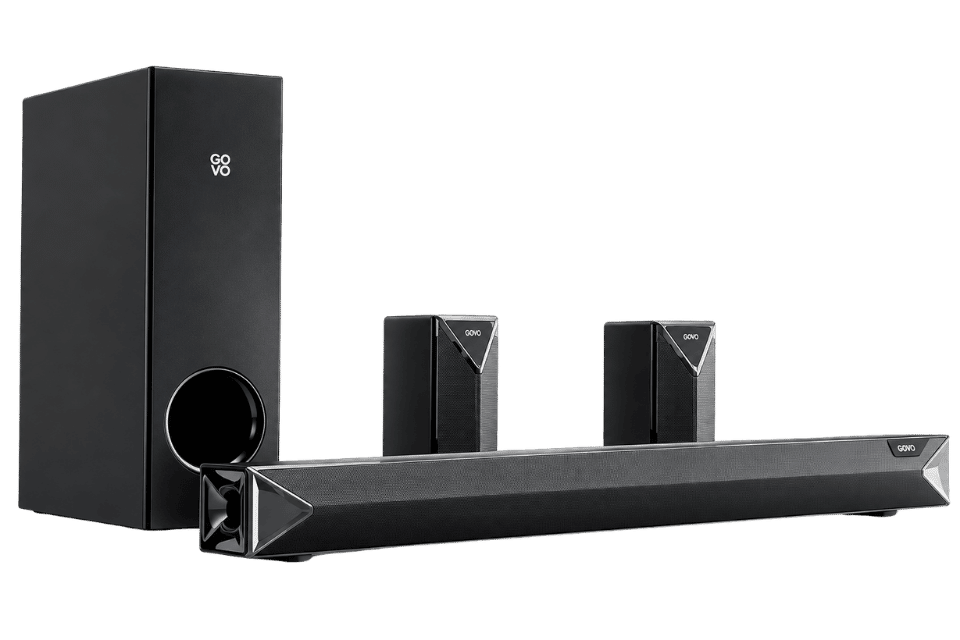
The GOVO GoSurround 955 Pro is listed as a 5.1-channel system with 320W advertised output. A Flipkart listing showed it around ₹5,499 in the latest price snapshot reviewed. GOVO’s own pricing and stock information has differed from marketplace listings, so treat the sale price as retailer-specific rather than a guaranteed price everywhere.
GOVO GoSurround 955 Pro
A 5.1-channel home audio system with a dedicated subwoofer and satellite speakers for a more immersive entertainment setup.
Key Features
- 5.1-channel speaker configuration
- Advertised 320W audio output
- Separate subwoofer and satellite speakers
- HDMI and optical connectivity listed by a marketplace
- AUX, USB and Bluetooth connectivity listed
- One-year product warranty reported by a retailer
Verify the available ports, included accessories, warranty terms and seller details on the selected product listing before buying. Connectivity and warranty coverage may vary by SKU or seller.
Why consider it?
A system with correctly placed rear satellites can create more physical separation between front and rear effects than a basic 2.1 soundbar. This can be useful for films, sports and compatible multichannel content, provided you have space to position the speakers and can manage their cables.
Limitations
The manufacturer’s page has shown a higher price and out-of-stock status while a marketplace listing showed a lower sale price. Check seller reputation, delivery cost, return terms and warranty coverage. Also, 320W is an advertised figure, not proof that it will sound better than every lower-wattage system.
Verdict: The option to compare first if you want a multi-speaker 5.1 setup under ₹7,000. Buy only when the exact listing is in stock and the final price is within budget.
3. GOVO GoSurround 900 — best for bass in a 2.1 setup
Best for: Buyers who prefer bass-heavy films, music and games over separate rear speakers.
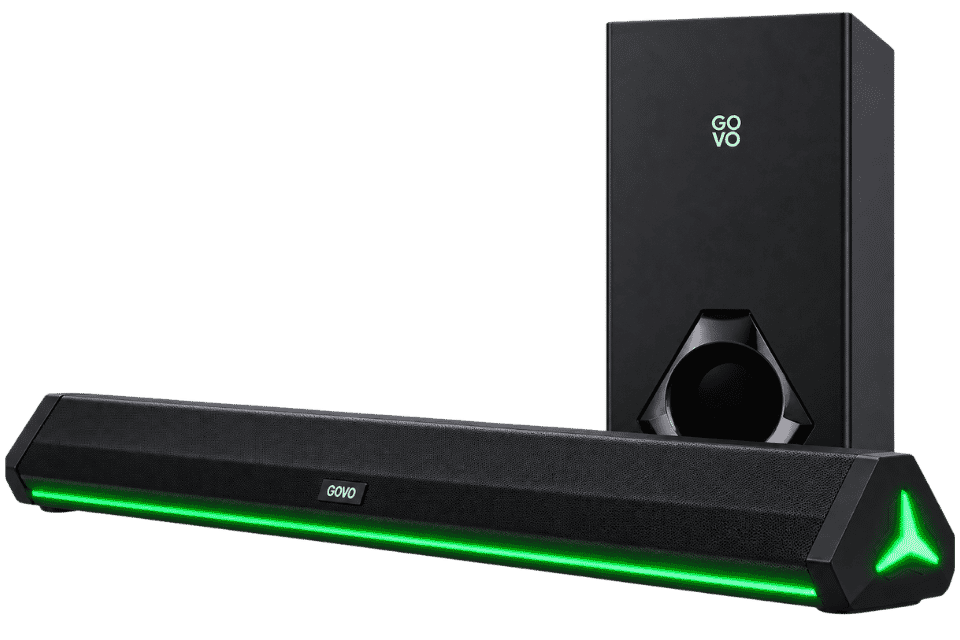
The GOVO GoSurround 900 is a 2.1-channel soundbar with a 6.5-inch wired subwoofer. GOVO advertises 200W peak output, and Flipkart showed a price around ₹4,999 in the listing reviewed. The brand’s own page has displayed a much higher price, so compare the actual marketplace offer carefully.
GOVO GoSurround 900
A 2.1-channel soundbar system with a dedicated 6.5-inch subwoofer, designed for buyers who want fuller bass for movies, music and everyday TV viewing.
Key Features
- 2.1-channel audio configuration
- Dedicated 6.5-inch wired subwoofer
- Advertised 200W peak output
- Bluetooth 5.3 connectivity
- HDMI, AUX and USB connectivity listed by the manufacturer
- Remote control and sound-mode options
Check the current product listing for supported HDMI features, included cables, sound modes and compatibility with your TV. Advertised peak output is not the same as continuous RMS power.
Why consider it?
The separate subwoofer is the main attraction. It can add more low-frequency impact to a film soundtrack or music track than small TV speakers alone. The front-facing 2.1 layout is also easier to accommodate than a multi-speaker 5.1 system.
Limitations
The stated 200W figure is advertised peak output; do not compare it directly with another product’s RMS rating. The price gap between GOVO’s own page and Flipkart is notable, so confirm the exact model, seller, warranty and final checkout amount before placing an order.
Verdict: Worth comparing if you want a subwoofer-focused 2.1 system and find the retailer listing at the advertised sale price. Choose another model if physical rear speakers are important to you.
4. Zebronics Juke Bar 7451 — another 5.1 system to compare
Best for: Buyers who want to compare an alternative wired multi-speaker system.
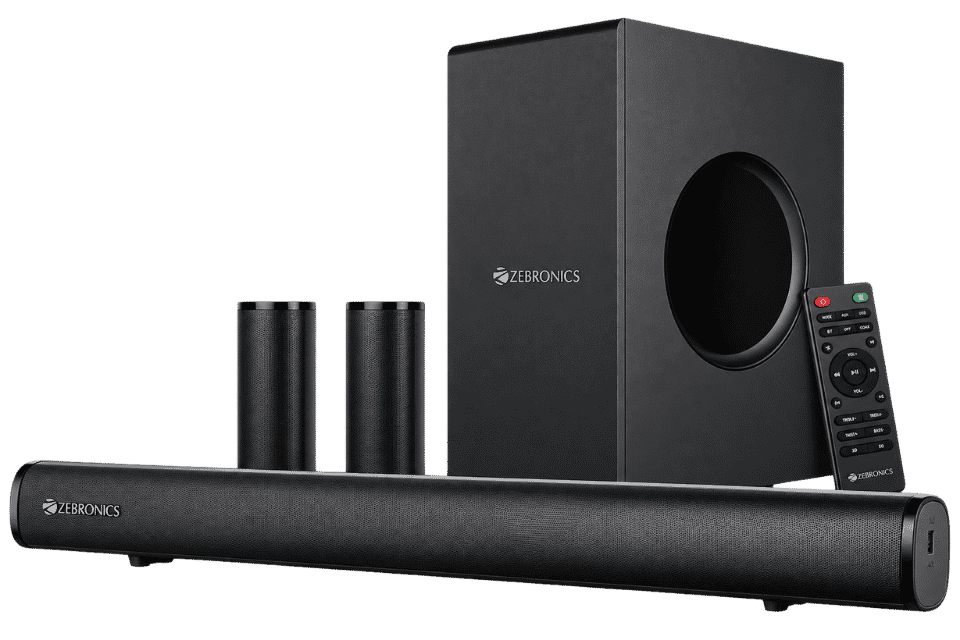
Zebronics’ soundbar buying guide has listed the Juke Bar 7451 at around ₹5,799 with a 5.1-channel arrangement, a wired subwoofer and wired rear satellites. This makes it relevant for shoppers comparing physical speaker separation within the ₹7,000 limit.
Zebronics Juke Bar 7451 Pro
A 5.1-channel soundbar system with rear satellite speakers and a dedicated subwoofer for movies, TV shows and music.
Key Features
- 5.1-channel audio system with rear satellite speakers
- Advertised 240W total audio output
- Dedicated 110W subwoofer for bass
- Bluetooth 5.3 wireless connectivity
- HDMI ARC, USB and AUX connectivity
- Remote control, LED display and wall-mountable design
Check the exact model specifications, included cables, connectivity options and warranty terms on the current listing before purchasing.
Why consider it?
The main reason to compare the Juke Bar 7451 is its separate rear-speaker setup. As with other 5.1 systems in this price range, the result will depend on speaker placement, source audio and the way the TV sends sound to the system.
Limitations
The price in the buying guide may not match every live retailer listing. Confirm the exact model number, included satellites, available inputs, warranty and checkout price before buying. Do not confuse a product that advertises virtual 5.1 with one that includes separate rear speakers; check the box contents for the exact SKU.
Verdict: A useful alternative to compare against the GOVO 955 Pro if both are available below ₹7,000. Decide on ports, speaker placement and warranty—not the advertised wattage alone.
Which soundbar should you buy?
These are use-case recommendations based on listed configurations and prices, not a measured ranking of sound quality. A fair sound-quality ranking would require testing each model in the same room with the same TV, source material, volume and settings.
How to choose the best soundbar under ₹7,000
1. Choose between 2.1 and 5.1 channels
A 2.1 soundbar has two main audio channels and a subwoofer. It is generally easier to set up and suits bedrooms or smaller living rooms.
A 5.1 system has five main channels plus a subwoofer channel. Some systems in this price range include separate rear satellites. These can give compatible content more physical separation, but you need space to place the satellites and manage the wiring.
Do not assume that a product with “virtual 5.1” includes rear speakers. Check the product description and box contents.
2. Check how it connects to your TV
- HDMI ARC: Usually the most convenient wired option if both devices support ARC. It can also allow compatible TV and soundbar remotes to control volume.
- Optical: Useful for TVs with an optical audio output but no HDMI ARC connection to spare.
- Bluetooth: Convenient for music and wireless playback, but audio delay may be noticeable during gaming or dialogue-heavy content.
- AUX: A simple analogue option, usually suited to stereo sound.
Check your TV’s ports before ordering. Do not assume that HDMI ARC and HDMI eARC are identical, or that a soundbar supports every audio format that your TV can output.
3. Treat wattage as only one factor
A higher advertised wattage does not automatically mean better clarity, deeper bass or more accurate surround sound. Some brands state RMS output, while others highlight peak power. These figures should not be compared directly unless they use the same measurement method.
Pay attention to the channel configuration, whether a subwoofer is included, whether the rear satellites are physical speakers, the available sound controls and the warranty. If possible, listen to the soundbar before buying.
4. Understand Dolby Audio and Dolby Atmos
Dolby Audio is a broad label used for different audio technologies; Dolby Atmos is a spatial-audio format that can include height information. They are not interchangeable terms. A Dolby Audio badge alone does not prove Atmos support.
For Atmos playback, the content, streaming device, TV audio settings, connection and soundbar must work together. Under ₹7,000, prioritise a compatible setup and good everyday usability over a badge alone. Check the exact model’s documentation rather than assuming features are shared across an entire product family.
5. Check the full delivered price and warranty
Before paying, confirm:
- The exact model and seller.
- Whether the subwoofer and rear speakers are included.
- Whether rear speakers are wired or wireless.
- Which ports are available on that specific model.
- Warranty duration and how service is handled in your area.
- Return or replacement conditions.
- Final price after delivery fees and offer conditions.
This matters especially when the manufacturer’s website and marketplace listings show very different prices.
READ THIS ALSO: Best Android & Smart TV in India (2026)
Frequently asked questions
Which is the best soundbar under ₹7,000 in India?
For a simple TV upgrade, start with the Noise Homestage 2.1. If you want a 5.1 system with separate satellite speakers, compare the GOVO GoSurround 955 Pro and Zebronics Juke Bar 7451 at their current prices. These recommendations are based on listed specifications, not hands-on sound testing.
Is a 5.1 soundbar better than a 2.1 soundbar?
Not for everyone. A 5.1 system with separate rear satellites can create more physical sound separation, but it needs more space and cable management. A 2.1 system is simpler and may be a better fit for a bedroom or compact living room.
Does a higher-wattage soundbar sound better?
Not necessarily. Wattage figures can use different measurement methods, and sound quality also depends on speaker design, tuning, distortion, placement and room acoustics. Compare like-for-like specifications where possible.
Do I need Dolby Atmos in a soundbar under ₹7,000?
No. If your main goal is louder TV audio, clearer dialogue and fuller bass, prioritise speaker setup and reliable TV connectivity. Atmos is worth considering if the exact model supports it and your TV, source and content are compatible.
Can I connect any soundbar to my smart TV?
Not automatically. Check whether your TV and soundbar share a supported connection, such as HDMI ARC, optical, Bluetooth or AUX. Wired connections are often preferable when you want to avoid Bluetooth audio delay.
Final recommendation
For a simple, everyday upgrade, the Noise Homestage 2.1 is the first model I would compare. If you specifically want rear satellite speakers, compare the GOVO GoSurround 955 Pro with the Zebronics Juke Bar 7451 and buy whichever has the more reliable seller, suitable connections and better final price. Choose the GOVO GoSurround 900 if you prefer a compact 2.1 arrangement with a dedicated subwoofer.
Do not choose purely by the highest wattage printed on the box. Under ₹7,000, the more useful priorities are the right speaker configuration, compatible TV connections, usable controls, a clear warranty and a price that is genuinely available at checkout.
Price and listing note: Price snapshots checked on 27 October 2026 from Noise’s product collection, GOVO/Flipkart listings and Zebronics’ soundbar buying guide. Prices, stock, delivery fees and seller terms may change. Verify the live listing before purchase.