
Buying a laptop for college is no longer just about choosing the cheapest machine with an Intel or AMD processor. A student laptop may need to handle online classes, research, presentations, Microsoft Office, programming assignments, coding projects, video meetings, browsing with dozens of tabs, and several years of daily use.
So for this guide, we compared current Indian laptop listings from major e-commerce retailers, manufacturer specifications, recent student-laptop roundups, and software requirements. Prices are snapshots from the research period and can change by seller, bank offer, stock level, or configuration. Current listings show that 16GB RAM and 512GB SSD configurations are increasingly common in the mid-range student segment.
Which Is the Best Laptop for Students?
For most Indian college students, a 16GB RAM + 512GB SSD laptop with a modern Core 5/Core Ultra 5 or Ryzen 5/Ryzen 7 processor is the sweet spot.
Among the models researched, the Dell 15 with Core i5-1334U, 16GB RAM and 512GB SSD is a strong all-round choice because it balances everyday performance, a large Full HD display and a mainstream Windows setup. Dell’s own listing confirms the 16GB/512GB configuration, Full HD display and starting weight of 1.63kg.
For students on a tighter budget, the ASUS Vivobook 15 with Core i5-1235U, 16GB RAM and 512GB SSD is particularly attractive when available around the mid-₹40,000 range. Flipkart’s current price listing showed this configuration at ₹46,599 during research.
For laptops for computer science students, the HP 15 with Ryzen 7 7735HS, 16GB RAM and 512GB SSD deserves special attention because its higher-performance processor gives more headroom for development workloads. Reliance Digital currently lists this configuration at ₹67,990.
| Laptop | Best For | Processor | RAM | Storage | Approx. Price Seen |
|---|---|---|---|---|---|
| ASUS Vivobook 15 X1504ZA | Best Value | Core i5-1235U | 16GB | 512GB SSD | ₹46,599 |
| Dell 15 3530 | Best Overall | Core i5-1334U | 16GB | 512GB SSD | ₹58,990–₹69,990 |
| Acer Aspire Lite AL15-52H | Value + Newer Platform | Core 5 210H | 16GB | 512GB SSD | About ₹59,000–₹60,000 |
| HP 15 15-FC1045AU | Best for CS/Coding | Ryzen 7 7735HS | 16GB | 512GB SSD | ₹67,990 |
| ASUS Vivobook 16 | Large Screen + Multitasking | Core Ultra 5 225H | 16GB | 512GB SSD | About ₹78,000–₹91,000 |
| MacBook Air M5 | Premium Portable Choice | Apple M5 | 16GB | 512GB SSD | From about ₹1.38 lakh |
Prices were checked against current retailer/manufacturer listings and are not fixed market prices. For example, the same Dell configuration has recently appeared at different prices on Flipkart and Reliance Digital.
Prices were checked against current retailer/manufacturer listings and are not fixed market prices. For example, the same Dell configuration has recently appeared at different prices on Flipkart and Reliance Digital.
1. ASUS Vivobook 15 Core i5-1235U – Best Budget Choice for Students
Students who do not want to spend ₹60,000 or more should look closely at the ASUS Vivobook 15 configuration with the 12th Gen Intel Core i5-1235U, 16GB RAM and 512GB SSD.
Flipkart’s current i5 laptop listings showed this particular Vivobook 15 configuration at ₹46,599 during our research.
ASUS specifies a 15.6-inch Full HD anti-glare display, Intel Iris Xe graphics, Wi-Fi 6E, a backlit keyboard, a 42Wh battery and a 512GB PCIe 4.0 SSD. The model also supports memory expansion up to 24GB.
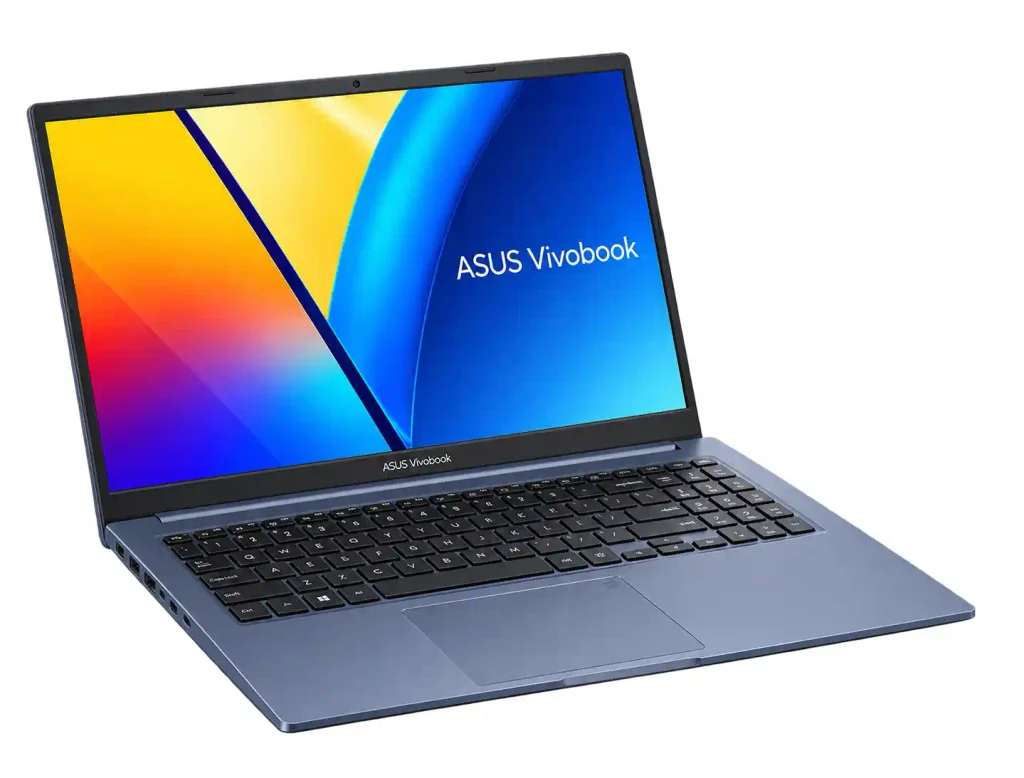
- Processor: Intel Core i5-1235U
- RAM: 16GB
- Storage: 512GB PCIe 4.0 SSD
- Display: 15.6-inch Full HD anti-glare
- Graphics: Intel Iris Xe Graphics
- Operating System: Windows
- Battery: 42Wh
- Weight: Varies by configuration
- Approx. Price: ₹46,599
Asus Vivobook 15 Review: Performance, Limitations and verdict:
REVIEW:
The Asus Vivobook 15 with a 12th Gen Intel Core i5 processor is a good option for students and professionals looking for a budget-friendly laptop. With 16GB RAM, a 512GB SSD, and useful features such as a backlit keyboard, it offers decent performance for everyday work.
Performance:
The Asus Vivobook 15 can handle everyday tasks such as browsing, studying, office work, coding, and video calls. It can also run video-editing software such as Adobe Premiere Pro, making it a practical choice for students who want to explore creative work.
However, the laptop tends to heat up during heavy gaming and other demanding tasks. If you plan to use it for gaming, a cooling pad may help manage the heat.
3. Limitations
- Heating during demanding tasks: The laptop can heat up during heavy gaming and intensive workloads. A cooling pad may help manage the heat.
- 720p webcam: The camera is decent for online classes and video meetings, but its image quality is not as good as that of modern smartphone cameras.
Final Verdict
Overall, the Asus Vivobook 15 is a good value-for-money option in the ₹40,000–₹45,000 price range for students and professionals. It offers reliable performance for everyday tasks, coding, and some video editing, along with useful features for daily use. However, users who plan to play demanding games should consider its heating issues before buying.
Why students should consider it
The Core i5-1235U is more than enough for everyday college workloads such as:
- Microsoft Office
- Google Docs and presentations
- Online classes
- Research and browsing
- Basic programming
- VS Code
- Web development
- Light photo editing
2. Dell 15 Core i5-1334U – Best Overall Student Laptop
The Dell 15 with Intel Core i5-1334U, 16GB RAM and 512GB SSD is one of the safest choices for a typical college student who wants a conventional Windows laptop.
Dell lists a 15.6-inch-class Full HD WVA display,16GB DDR4 memory, a 512GB NVMe SSD, Intel UHD graphics and a starting weight of 1.63kg.
A current Reliance Digital student-laptop listing showed the 8GB/512GB configuration at ₹58,990, while Flipkart listings have shown the same family of configuration at higher prices depending on seller and offers.
- Processor: 13th Gen Intel Core i5-1334U
- RAM: 16GB
- Storage: 512GB PCIe NVMe SSD
- Display: 15.6-inch Full HD (1920 × 1080)
- Graphics: Intel UHD Graphics
- Operating System: Windows 11 Home
- Battery: 41Wh, 3-cell battery
- Weight: Approximately 1.90 kg
- Approx. Price: ₹61,000–₹62,000
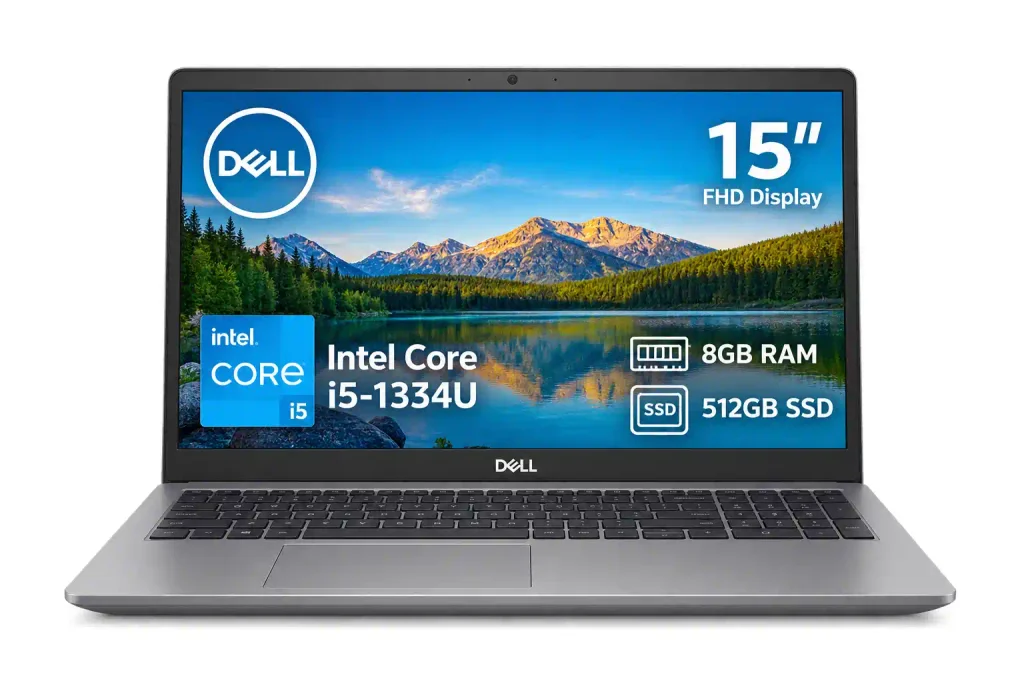
Dell Inspiron 15 3530 (Intel Core i5 13th Gen) Review
The Dell Inspiron 15 3530 is a good option for students, office workers, and home users looking for a reliable laptop under ₹70,000. It combines a 13th Gen Intel Core i5 processor with 16GB RAM and 512GB SSD storage, making it suitable for everyday work and multitasking.
1. Performance
The laptop is powered by the Intel Core i5-1334U processor, paired with 16GB DDR4 RAM and a 512GB SSD. This setup handles office applications, web browsing, online classes, and multiple applications smoothly.
It can also manage moderate 1080p video editing in Adobe Premiere Pro, although rendering large projects can take considerable time.
3. Gaming and Limitations
Although the laptop is suitable for regular work, it is not designed for demanding gaming. Games such as CS and Spider-Man may deliver limited performance, even when using the lowest graphics settings.
The integrated Intel Iris Xe graphics are suitable for everyday visual tasks, but users who need high-end gaming performance should consider a laptop with dedicated graphics.
The display may also fall short for professional designers who require accurate colours for their work.
Final Verdict
Overall, the Dell Inspiron 15 3530 is a practical choice for students and professionals who need a laptop for studying, office applications, multitasking, and everyday use. Its 16GB RAM, 512GB SSD, and 120Hz display make it a capable productivity laptop under ₹55,000.
However, it is not the best choice for demanding gaming or professional colour-critical design work. If your main priority is everyday productivity and academic use, it is worth considering.
It is particularly suitable for:
BCA students, commerce students, arts students, business students, engineering students doing general coursework and beginner programmers.
3. Acer Aspire Lite Core 5 210H – Strong Value Around ₹60,000
The Acer Aspire Lite AL15-52H is another interesting option for students who want a relatively modern processor platform without moving into expensive premium laptops.
Acer’s official store lists a configuration with the Intel Core 5 210H, 16GB LPDDR5 memory and 512GB PCIe Gen4 SSD, along with a 15.6-inch Full HD IPS display. Acer also lists storage expansion support up to 1TB.
The official Acer price shown in the research was around ₹59,999, while Reliance Digital showed a very similar configuration around ₹58,990.
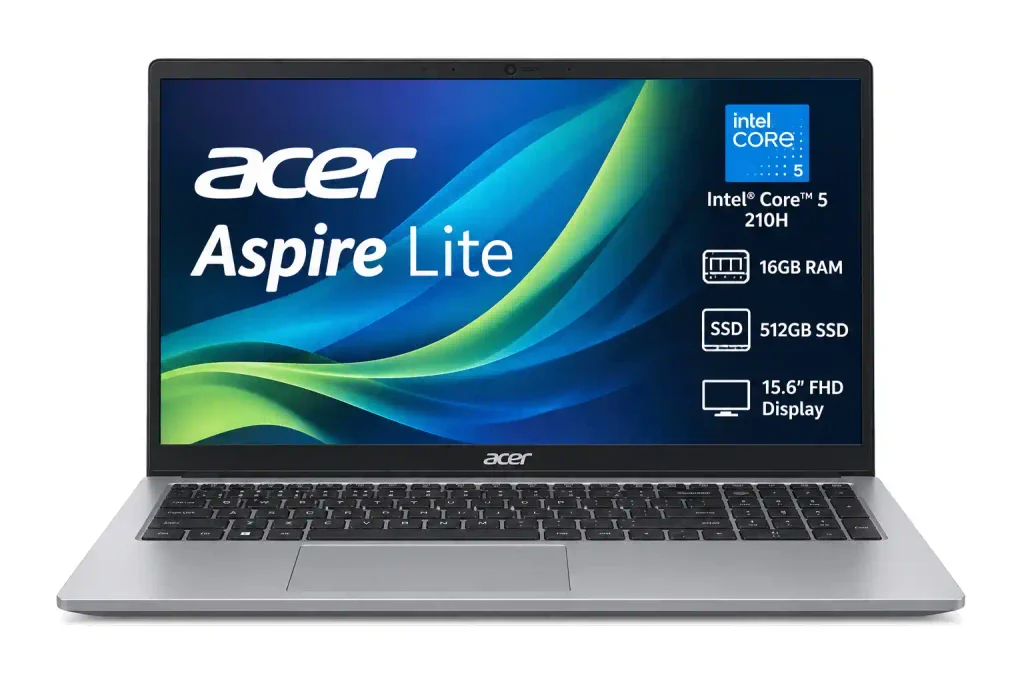
- Processor: Intel Core 5 210H
- RAM: 16GB LPDDR5 RAM
- Storage: 512GB PCIe Gen 4 SSD
- Display: 15.6-inch Full HD IPS (1920 × 1080)
- Graphics: Integrated Intel UHD Graphics
- Operating System: Windows 11 Home with MS Office
- Battery: 54Wh Li-ion battery, rated for up to 8 hours
- Weight: Approximately 1.70kg
- Approx. Price: ₹69,999 (listed price on Acer’s official store; availability may vary)
Acer Aspire Lite Core 5 210H Review
Key Features & Performance
Design & Build:
The Acer Aspire Lite Core 5 210H features a clean, minimalist design in a silver finish. Weighing approximately 1.7kg, it is reasonably portable for students and professionals who need a laptop for college, office work, or home use. It also includes a backlit keyboard and useful connectivity options, including HDMI, USB-A, and USB-C ports.
Performance:
The laptop is powered by the Intel Core 5 210H processor, making it suitable for everyday productivity tasks such as coding, web browsing, document editing, and multitasking. Its integrated Intel UHD Graphics can handle regular visual tasks and light gaming, but it is not designed for demanding games or graphics-intensive workloads.
Upgradability:
Depending on the configuration, the Acer Aspire Lite Core 5 210H comes with 16GB of onboard LPDDR5 RAM. Since the memory is soldered, it cannot be upgraded later. The 512GB SSD, however, supports expansion up to 1TB, giving users additional storage flexibility.
Verdict
Overall, the Acer Aspire Lite Core 5 210H is worth considering for students and professionals who need a laptop for everyday productivity, coding, office work, and home use. Its Core 5 processor, Full HD IPS display, backlit keyboard, and lightweight design make it a practical option.
However, its integrated graphics are not ideal for demanding gaming, and the soldered RAM limits future memory upgrades. Before buying, check the exact RAM configuration and current price, as specifications and pricing vary by model.
Who should buy it?
This laptop makes sense for students who want a balance between a bigger 15.6-inch screen and everyday productivity. It can be a good middle ground for coding, Office work, browsing and college projects.
4. HP 15 Ryzen 7 7735HS – Best Laptop for CS Students
For students specifically searching for a laptop for CS students, performance headroom becomes more important.
The HP 15 15-FC1045AU pairs the AMD Ryzen 7 7735HS with 16GB RAM and a 512GB PCIe Gen4 NVMe SSD. Reliance Digital lists a 16.1-inch Full HD display, backlit keyboard, HDMI 2.1, Wi-Fi 6 and a 1080p webcam. The listed weight is 1.59kg.
Its current listed price at Reliance Digital is ₹67,990.
- Processor: AMD Ryzen 7 7735HS (8 cores, 16 threads, up to 4.75 GHz)
- RAM: 16GB DDR5-4800 RAM
- Storage: 512GB PCIe Gen 4 NVMe SSD
- Display: 15.6-inch Full HD (1920 × 1080), anti-glare, 250 nits
- Graphics: Integrated AMD Radeon 680M Graphics
- Operating System: Windows 11 Home
- Battery: 41Wh,
- Weight: Approximately 1.59 kg
- Approx. Price: ₹65,000–₹80,000
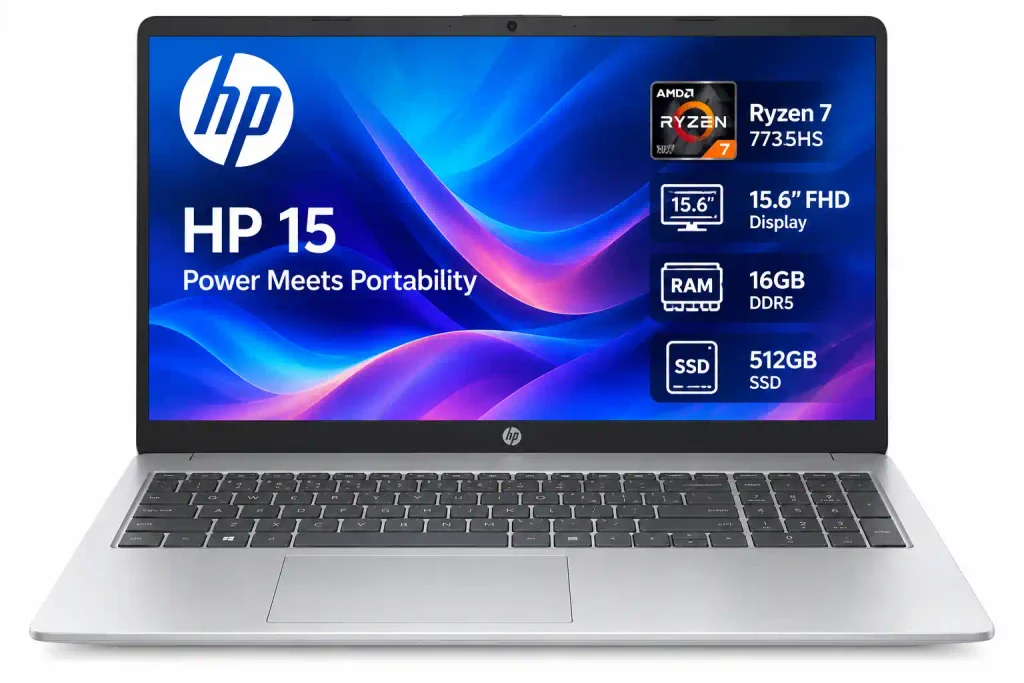
HP 15 Ryzen 7 7735HS Review
Display
The laptop features a 15.6-inch Full HD anti-glare display with 250 nits of brightness. It is suitable for studying, office work, and watching videos. However, its 45% NTSC colour coverage may not be ideal for professional graphic design or colour grading.
Performance
Powered by an AMD Ryzen 7 7735HS octa-core processor and integrated AMD Radeon 680M graphics, the laptop handles multitasking, everyday work, and 1080p video editing well. However, it is not the best choice for demanding games or heavy editing workloads.
RAM and Storage
The laptop comes with 16GB RAM and a 512GB SSD, providing enough capacity for everyday applications and files. According to the reviewed configuration, the RAM can be upgraded to 32GB and the SSD to 1TB.
Battery and Webcam
The 41Wh battery provides approximately 3–5 hours of use, depending on your workload and settings. The laptop also features a 720p HD webcam with a privacy shutter for online classes and video meetings.
Final Verdict
The HP 15 Ryzen 7 7735HS is a suitable option for students and office professionals who need a laptop for everyday tasks, multitasking, and light video editing. However, users looking for a dedicated gaming laptop or a machine for demanding creative work should consider other options.
At around ₹60,000–₹65,000, it is worth considering for everyday productivity, provided the specifications and price match your requirements.
Why is this useful for computer science?
A CS student may gradually move beyond simple programming exercises into larger applications, development environments, Android development, databases and multitasking.
AMD’s Ryzen 7 7735HS gives this machine considerably more CPU headroom than entry-level laptop processors. That makes it a sensible choice for:
Python, Java, C/C++, JavaScript, web development, IntelliJ IDEA, software projects and heavier multitasking.
5. ASUS Vivobook 16 Core Ultra 5 – Best Large-Screen Windows Option
Students who prefer a larger display for coding, documents and split-screen work should consider the ASUS Vivobook 16 X1607CA-MB142WS.
ASUS lists a Core Ultra 5 225H, 16GB DDR5 RAM, 512GB PCIe 4.0 SSD and a 16-inch 1920×1200 display with a 16:10 aspect ratio. The memory can be expanded to 32GB using the available SO-DIMM slot.
A current price comparison showed the model around ₹77,990 at Amazon and Croma, while Reliance Digital’s listing placed it closer to ₹90,990, illustrating why checking several retailers before purchasing matters.
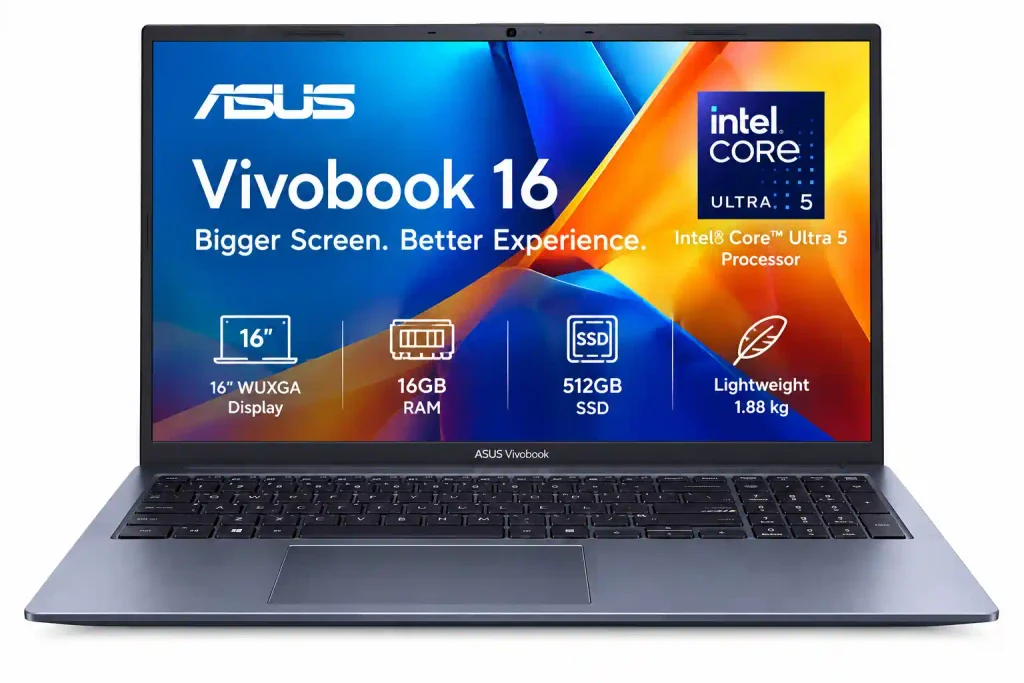
- Processor: Intel Core Ultra 5 225H (14 cores, up to 4.9 GHz)
- RAM: 16GB DDR5
- Storage: 512GB PCIe 4.0 NVMe SSD
- Display: 16-inch WUXGA (1920 × 1200), anti-glare, 60Hz, 300 nits
- Graphics: Integrated Intel Graphics
- Operating System: Windows 11 Home
- Battery: 42Wh,
- Weight: Approximately 1.88kg
- Approx. Price: ₹78,000–₹92,000,
ASUS Vivobook 16 Core Ultra 5 Review
ASUS Vivobook 16 Core Ultra 5 Review
Key Features and Specifications
Design:
The ASUS Vivobook 16 has a simple, modern design with a 180-degree hinge. It weighs around 1.88kg and is 1.79cm thick, making it suitable for carrying between home, college, and the office.
Performance:
The laptop comes with 16GB DDR5 RAM and a 512GB PCIe 4.0 SSD, with upgrade options available for supported configurations. Its Intel Core Ultra 5 processor also includes an NPU for AI-related tasks. It handles everyday applications, multitasking, and basic video editing smoothly.
Keyboard and Trackpad:
The full-sized backlit keyboard has 1.4mm key travel, making typing comfortable for long study sessions. The smart trackpad also supports edge gestures to control functions such as volume and screen brightness.
Final Verdict: Is It Good for Students?
The ASUS Vivobook 16 Core Ultra 5 is a good option for students who need a laptop for online classes, assignments, presentations, research, coding, and multitasking. Its large 16-inch display provides comfortable viewing space, while the 16GB RAM and 512GB SSD help keep everyday tasks running smoothly.
It can also handle light gaming, including games such as GTA V and Valorant, but it is not designed for demanding gaming.
At around ₹79,990, it is worth considering for students who want a laptop for regular studies and productivity. However, check the current price and exact configuration before buying to make sure it fits your budget.
6. MacBook Air M5 – Best Premium Laptop for Students
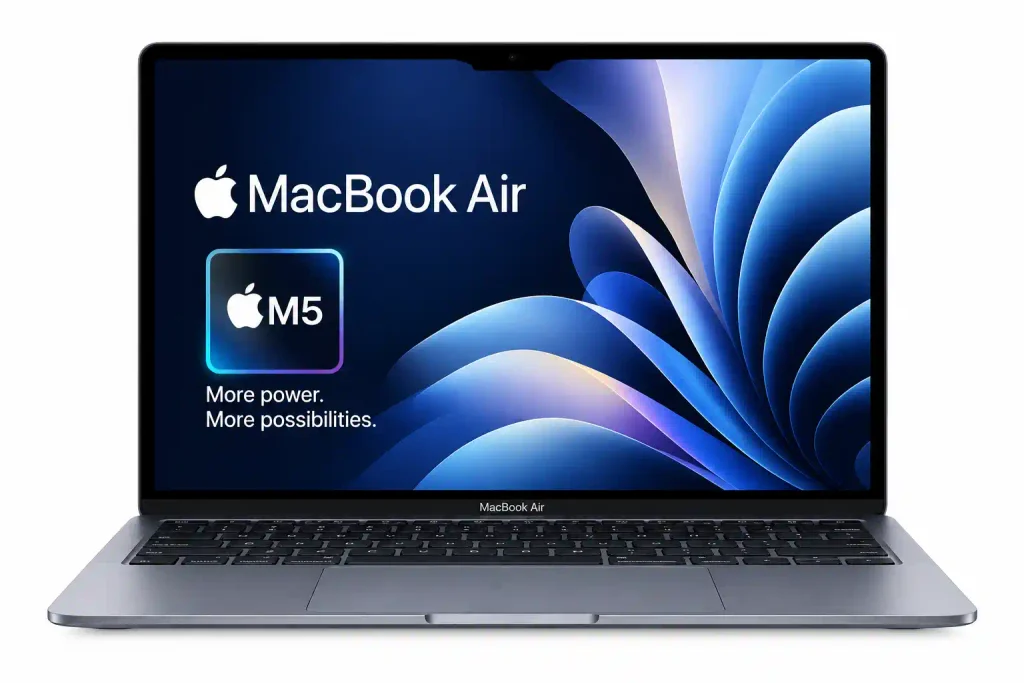
Students with a larger budget may prefer the 13-inch MacBook Air with Apple’s M5 chip.
The current MacBook Air comes with 16GB unified memory and 512GB SSD as the standard configuration. Apple lists a 13.6-inch 2560×1664 Liquid Retina display with 500 nits brightness and up to 18 hours of video streaming battery life.
Apple launched the M5 MacBook Air in India at ₹1,19,900, but Apple’s current India purchase page shows the 13-inch MacBook Air starting at approximately ₹1,37,900, so buyers should check the latest price rather than relying on old launch pricing.
- Processor: Apple M5 chip (10-core CPU)
- RAM: 16GB unified memory
- Storage: 512GB SSD
- Display: 13.6-inch Liquid Retina display (2560 × 1664), 500 nits brightness
- Graphics: Integrated Apple GPU
- Operating System: macOS Tahoe
- Battery: 53.8Wh battery
- Weight: Approximately 1.23kg
- Approx. Price: ₹1,49,900-₹2,23,100
MacBook Air M5 Review
Performance
The MacBook Air M5 offers strong performance for everyday work and demanding tasks. It can handle multitasking, 4K video editing, and AI-related applications smoothly. Its AI performance is also significantly improved compared with previous M-series chips, making it a good option for users who need a laptop for long-term productivity.
Design and Portability
The MacBook Air M5 keeps its slim and lightweight design, weighing around 1.2kg. It is easy to carry to college, the office, or while travelling. The laptop wakes up quickly and comes in attractive colours, including Starlight.
Specifications and Price
The base model comes with 16GB RAM and 512GB storage, providing enough capacity for most everyday tasks. With a starting price of around ₹1,20,000, it offers powerful hardware, but it may be expensive for students and users on a tight budget.
Connectivity and Battery
The laptop supports Wi-Fi 7 and includes a Full HD webcam for online classes and video meetings. Its battery can last around 14–15 hours with regular use, although actual battery life depends on your workload and settings.
Final Verdict: Is the MacBook Air M5 Worth Buying?
The MacBook Air M5 is a good choice for students and professionals who need a lightweight laptop for studying, coding, multitasking, and video editing. Its performance and portability make it suitable for long-term use.
However, its high price is the main drawback. If your budget is limited and you mainly need a laptop for online classes, assignments, browsing, and office work, a more affordable Windows laptop may be a better choice. Consider the MacBook Air M5 if you can comfortably afford it and will benefit from its performance.
Users who need more processing power for demanding workloads can also consider a configuration with a 10-core CPU, depending on the available model.
Is MacBook Air good for computer science students?
For many programming tasks, yes.
IntelliJ IDEA officially supports Windows, macOS and Linux, and current Android Studio documentation supports Apple Silicon Macs.
The bigger question is software compatibility. Some university courses, laboratories or engineering programs require Windows-only applications. Students should confirm their college’s software requirements before choosing macOS.
How to Choose the Right Laptop for Students
1. RAM: 16GB Is the Sweet Spot
For 2026, I would strongly prefer 16GB RAM for a laptop that you expect to keep through college.
8GB can still work for basic browsing, Office, online classes and light programming. However, 16GB is more comfortable for multitasking and much more appropriate for development tools.
This becomes particularly important for CS students. Android Studio’s current requirements recommend 16GB for Studio plus an emulator and 32GB for the recommended experience.
2. Storage: Choose at Least 512GB SSD
A 512GB SSD is a much better starting point than a 256GB drive for a four-year college laptop.
Your storage may eventually contain:
- Operating system and applications
- Programming environments
- Source-code repositories
- College notes and PDFs
- Projects
- Photos and videos
- Android SDKs
- Virtual machines
- Development libraries
Android Studio itself requires meaningful free disk space, and larger projects can require considerably more storage.
3. Processor: Don’t Choose by the Name Alone
You do not necessarily need the newest or most expensive processor.
For most students, a modern Core i5/Core 5, Core Ultra 5, Ryzen 5 or Ryzen 7 is a much better target than entry-level chips.
For simple coursework, U-series processors can be perfectly adequate.
For heavier development, compiling, virtualization or demanding applications, a higher-performance H/HS-class processor can make more sense.
4. Display: Full HD Is the Minimum Worth Targeting
A 15.6-inch Full HD screen remains a practical choice for students because it provides plenty of workspace without becoming too expensive.
An IPS panel is preferable for viewing angles and overall visual quality. A 16:10 display can be even more useful for coding and documents because it gives extra vertical workspace.
5. Keyboard and Portability Matter More Than You Think
Students often type for several hours every day.
A comfortable keyboard, good touchpad, reasonable weight and a reliable hinge can affect your experience more than a small difference in benchmark scores.
A 1.4–1.8kg laptop is easier to carry between classrooms, libraries, hostels and homes than a bulky 2.5kg gaming machine.
6. Battery Life Should Be a Major Buying Factor
A student laptop may need to survive lectures, study sessions and travel.
Apple currently rates the M5 MacBook Air for up to 18 hours of video streaming and up to 15 hours of wireless web use. Windows laptop battery life varies considerably by processor, screen, battery size and workload, so manufacturer’s claimed figures should not be compared directly across brands.
| Programming Task | Recommended Laptop Specifications |
|---|---|
| Basic Programming | Intel Core i5 / AMD Ryzen 5, 16GB RAM, 512GB SSD |
| Web Development | Intel Core i5 / AMD Ryzen 5, 16GB RAM, 512GB SSD |
| Java / IntelliJ Development | Intel Core i5 / AMD Ryzen 5 or 7, 16GB RAM, 512GB SSD |
| Android Studio | 16GB RAM minimum; 32GB preferred for heavier workloads |
| Docker + IDE + Browser Multitasking | 16GB–32GB RAM with a powerful processor |
| Virtual Machines | 32GB RAM preferred |
| AI / ML Coursework | 32GB RAM, a powerful processor, and a dedicated GPU may be useful |
| Deep-Learning Training | 32GB+ RAM, a powerful CPU, and a dedicated GPU with sufficient VRAM |
8GB vs 16GB RAM: Which Is Better for Students?
16GB is the better choice for most students.
An 8GB laptop can handle basic academic activities, but modern multitasking and development software can consume memory quickly.
Suppose you are running:
Chrome + VS Code + Git + Spotify + WhatsApp + a local server + documentation.
A 16GB laptop will generally give you far more breathing room.
For a laptop expected to last through an entire degree, paying extra for 16GB can be more sensible than buying an 8GB model and replacing it earlier.
Do Students Need a Dedicated Graphics Card?
Usually, no.
A dedicated NVIDIA or AMD GPU is useful for students studying:
- 3D design
- Game development
- CAD
- Blender
- Advanced video editing
- GPU-based AI/ML
- Gaming
For regular programming, Office work, research, classes and web development, integrated graphics are usually enough.
This is why a ₹60,000 productivity laptop with 16GB RAM can make more sense for many students than a heavy gaming laptop at the same price.
Windows vs MacBook for College Students
Choose Windows when:
Your college uses Windows-only software, you want maximum hardware choice, you need USB-A and HDMI ports, or you want more options at ₹40,000–₹70,000.
Choose MacBook when:
You prioritize battery life, portability, build quality and macOS, and the software required by your course works properly on macOS.
For many CS students, both platforms can be excellent. IntelliJ IDEA supports Windows, macOS and Linux, while modern Android Studio supports Apple Silicon Macs.
Best Student Laptop by Budget
Under ₹40,000
Expect compromises. These laptops are suitable mainly for browsing, Office work, online learning and basic programming.
For CS students, it is often worth increasing the budget rather than settling for 4GB RAM or very limited storage.
₹40,000–₹55,000
This is arguably the sweet spot for budget-conscious students.
The ASUS Vivobook 15 Core i5-1235U with 16GB/512GB is one example of the type of configuration to target.
₹55,000–₹70,000
This range gives you access to stronger 16GB/512GB systems, including the Dell 15, Acer Aspire Lite and HP 15 Ryzen 7 configuration.
₹70,000–₹1,00,000
You can start looking at better displays, newer Core Ultra systems, larger screens, stronger processors and premium build quality.
Above ₹1,00,000
Premium Windows laptops and MacBooks become realistic choices. The MacBook Air M5 sits in this category in India’s current pricing.
Laptop Buying Mistakes Students Should Avoid
Buying 4GB RAM to save money
The initial saving may not justify the frustration later.
Buying only because it has “Core i7” or “Ryzen 7” in the name
Processor generation and design matter. A higher-numbered older processor is not automatically a better student laptop than a newer lower-tier chip.
Ignoring the exact model number
A laptop series can contain several configurations with different screens, RAM, processors and storage.
Always compare the exact SKU, not just “HP 15” or “ASUS Vivobook.”
Buying a gaming laptop without needing one
Gaming laptops can offer impressive performance, but they are usually heavier and less convenient for daily campus use.
Forgetting software compatibility
This is particularly important for CS, engineering and design students.
Check the applications your university actually requires before choosing Windows, macOS or an ARM-based system.
Our Final Recommendation
So, which laptop is best for CS students?
For students on a budget, the ASUS Vivobook 15 Core i5-1235U with 16GB RAM and 512GB SSD is a strong value proposition when the price is around ₹45,000–₹50,000.
For general college use, the Dell 15 Core i5-1334U with 16GB RAM and 512GB SSD is an excellent all-round option.
For students specifically looking for laptops for computer science students, the HP 15 Ryzen 7 7735HS with 16GB RAM and 512GB SSD provides a stronger performance-oriented configuration without moving into an expensive gaming laptop.
For students who want a premium machine and can afford it, the MacBook Air M5 is an excellent portable choice, provided the software required by the course is compatible with macOS.
The most important lesson is simple: don’t buy the laptop with the biggest specification sheet; buy the one that matches your course, software and daily workload.
Frequently Asked Questions
Which laptop is best for students in India?
For most students, a laptop with 16GB RAM, 512GB SSD, a modern Core 5/Core Ultra 5 or Ryzen 5/Ryzen 7 processor, Full HD display and good battery life is the ideal combination.
Which laptop is best for CS students?
The best laptop for CS students should prioritize CPU performance, 16GB or more RAM, SSD storage and software compatibility. The HP 15 Ryzen 7 7735HS is one strong option from the current Indian market.
Is 8GB RAM enough for computer science students?
It can work for basic programming, but 16GB is a much better choice for a multi-year CS laptop. Android Studio’s current requirements also make 16GB a more sensible target, especially when using an emulator.
Is 512GB SSD enough for college?
Yes, for most students. It offers a good balance of capacity and price. CS students using multiple SDKs, virtual machines and large datasets may eventually benefit from 1TB storage.
Is MacBook Air good for computer science students?
Yes, for many CS workloads. Current IntelliJ IDEA supports macOS, and Android Studio supports Apple Silicon Macs. However, students should verify whether their college requires Windows-only applications.
READ THIS ALSO: 1.Best Camera Phone Under ₹20,000 in India (2026): Top Picks
2.Best Gaming Smartphone Under ₹20,000 in India: Top Gaming Picks for 2026

3 thoughts on “Best Laptop for Students in India (2026): Top Picks for College, Coding & CS Students”