
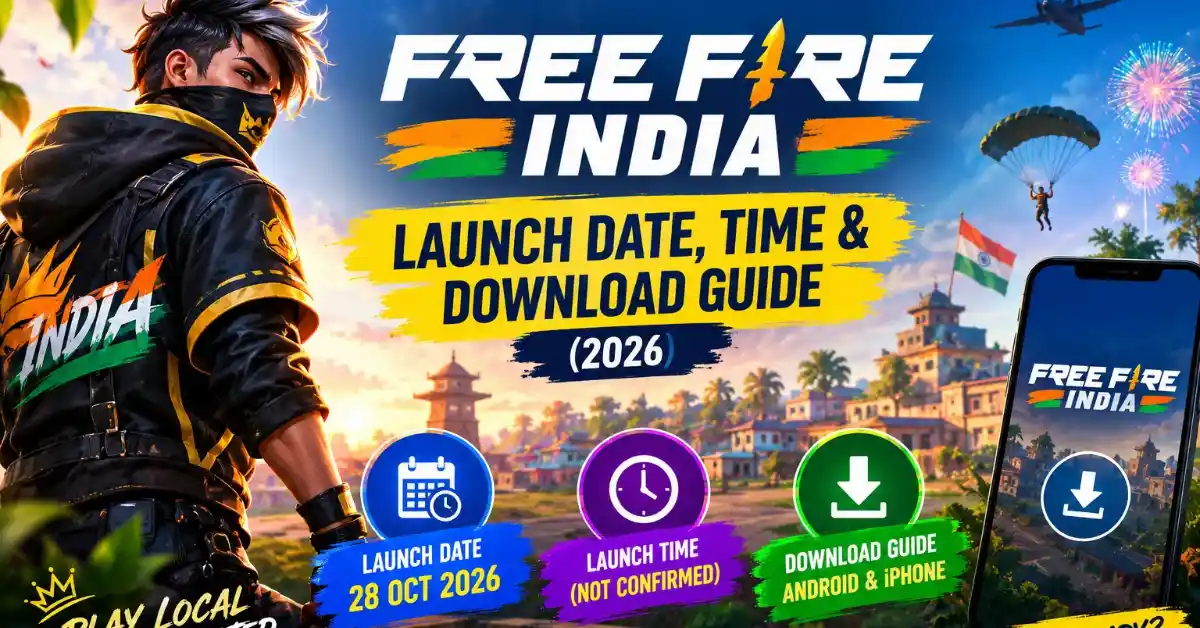
Free Fire India officially launched on 28 October 2026. Garena announced that the game would be available as a separate, free-to-download app through Google Play and the Apple App Store. However, Garena did not announce a specific launch hour that players could rely on.
The Android listing is available on Google Play. For iPhone users, check the App Store through Garena’s official Free Fire India website. Store availability and device compatibility may vary.
Launch date: 28 October 2026
Official launch time: No fixed time announced
Android download: Free Fire India on Google Play
iPhone download: Use the App Store link on the official Garena website
Reported Android download size: Approximately 390 MB for the initial download
Cost: Free to download, with optional in-game purchases
Key takeaways
- Free Fire India launched on 28 October 2026 as a standalone game for Indian players.
- No exact official launch time was announced. If the Install button is missing, check the official store again rather than downloading an unknown APK.
- The initial Android download was reported to be around 390 MB. Additional game resources can increase the total storage requirement.
- Android 5.0 or later was reported for the launch version, but Garena has not published a complete official minimum-RAM specification in its launch announcement.
- Free Fire MAX remains a separate app with enhanced visual effects.
- Players under 18 need parental or guardian consent under Garena’s published India guidance.
Free Fire India Launch Date & Time
The wait is over! Garena has confirmed the official launch date for Free Fire India.
Garena has not announced a fixed official launch hour. Launch-morning reports should not be treated as an official release-time announcement.
Can’t see the Install button? Check the official store listing again. Availability can vary by account, region, device compatibility and platform.
Always verify the app name and publisher before installing.
Free Fire India download link
Use these official routes to download the game.
| Platform | Download route | What to do |
| Android | Google Play Store | Open the listing and tap Install if your device is compatible |
| iPhone | Garena’s official website | Open the official site and follow its App Store link |
| Official information | Free Fire India FAQ | Check Garena’s published information and safety guidance |
Before installing, verify that the Android listing is named Free Fire India and identifies Garena International III as the publisher. Do not rely on a copied logo or a similar-looking app name.
How to Download Free Fire India on Android
Ready to jump into the action? Follow these simple steps to download and install Free Fire India on your Android phone.
Open Google Play Store
Open the Google Play Store on your Android phone and make sure you are signed in to your Google account.
Visit the Official Game Listing
Open Garena’s official Free Fire India listing using the button below. This helps you avoid lookalike apps.
Open Free Fire India on Google Play ↗Verify the App and Publisher
Check the app name and confirm that the publisher is Garena International III before downloading.
Check Compatibility and Storage
Review the compatibility information on Google Play and ensure your phone has enough free storage for the installation and additional game resources.
Tap Install and Wait
Tap the Install button and let the download finish. Keep your internet connection stable during installation.
Open the Game and Sign In
Launch Free Fire India, allow any required game resources to download, and follow the on-screen instructions to complete setup and sign-in.
The game may download extra resources after installation. Wi-Fi can help reduce unexpected mobile-data usage.
How to Download Free Fire India on iPhone
Ready to play on your iPhone? Follow these simple steps to check availability and install Free Fire India safely through Garena’s official App Store link.
Visit Garena’s Official Website
Open the official Free Fire India website in Safari or your preferred iPhone browser.
Visit Official Free Fire India Website ↗Follow the App Store Link
Find the App Store link provided by Garena and open the game’s official listing.
Check Compatibility and Age Rating
Review the app name, age rating and supported iPhone or iOS requirements before downloading.
Tap Get to Install the Game
If the game is available in your App Store region and compatible with your device, tap Get and complete any required authentication.
Open the Game and Complete Setup
Once installation finishes, open Free Fire India and follow the on-screen instructions to download any additional resources and sign in.
Additional game resources may require more data after installation. Wi-Fi can help reduce unexpected mobile-data usage.
Free Fire India APK download: Is it safe?
Many users search for a direct Free Fire India APK download, particularly when they cannot see the game in Google Play.
The safest option is to install the Android version from the official Google Play listing. Garena’s public launch information directs players to the app stores; this guide has not verified a separate official, publicly hosted APK download.
Be cautious with APK files offered through file-hosting websites, Telegram groups, modified-game pages or YouTube descriptions. An APK’s name and icon can be copied, so those details alone do not prove it is genuine.
Unknown or modified packages can expose your phone or account to security risks. Claims about unlimited diamonds, guaranteed early access, free paid items or special anti-ban versions are additional reasons to be suspicious.
If Google Play is not showing the Install button, troubleshoot the store listing before considering sideloading. Installing an APK from an unrelated website is not a reliable way to resolve a compatibility or regional-availability issue.
Free Fire India download size
Digit reported an initial Android download size of approximately 390 MB for the launch version.
That figure should be treated as the initial download size, not a guarantee of the complete storage used after opening the game. Additional assets, updates and other resources can increase the total installation size.
For practical planning, keep around 2–3 GB of free storage before installing. This is a conservative allowance, not an official fixed storage requirement from Garena.
You should also leave some space for future updates, screenshots, cached files and other apps. A phone with very little free storage can struggle to complete downloads or install updates even when the base game package fits.
The size shown in your own Google Play or App Store listing is the best place to check the current download requirement for your device.
Free Fire India system requirements
The launch-day listing coverage reported Android 5.0 or later for the Android version. However, Garena’s announcement does not provide a complete official table specifying minimum RAM, processor, GPU and storage for every compatible device.
The distinction matters: an operating system that meets the minimum requirement does not necessarily guarantee smooth gameplay.
Free Fire India System Requirements
Check the reported Android version, download size, storage guidance and other details before installing Free Fire India.
| Requirement | Current Guidance |
|---|---|
| 📱 Android Version | Reported Android 5.0 or later was reported for the launch listing. Confirm compatibility in Google Play. |
| 🧠 Minimum Android RAM | Not Confirmed Garena’s launch announcement does not confirm a complete official minimum-RAM specification. |
| ⚡ Practical RAM Target | Practical Guide 3–4 GB RAM or more is a sensible starting point for testing, but it is not an official minimum requirement. |
| ⬇️ Initial Android Download | Reported Size Approximately 390 MB, as reported at launch. Additional resources may increase the total. |
| 💾 Free Storage | Suggested Buffer Keep roughly 2–3 GB free for installation and additional resources. Actual storage use can vary. |
| 🍎 iPhone Compatibility | Check Store Check the minimum iOS version and device compatibility shown in the official App Store listing. |
| 📶 Internet Connection | Required A stable internet connection is needed to download game resources and play online matches. |
The RAM and storage figures above are practical planning suggestions, not verified minimum specifications from Garena. Actual performance also depends on the processor, available memory, operating-system version, thermal behaviour and background applications.
Close unnecessary apps before playing and start with the game’s default graphics settings. If your phone overheats or gameplay becomes unstable, lower the graphics settings where available and let the device cool down.
What is new in Free Fire India?
Garena describes Free Fire India as a separate mobile battle royale experience designed for Indian gamers. The company says the game has been optimised for a broad range of smartphones and introduces locally relevant content.
India-focused content
The launch announcement includes a Diwali campaign scheduled to run until 15 November 2026. Event content, rewards and availability can change, so check the game’s official channels for current details.
Responsible-gaming controls
Garena has highlighted measures intended to promote healthier play. These include parental consent for users under 18, break reminders, playtime limits and spending controls.
In an interview published by The Times of India, Garena’s India operations head described limits of up to six hours per day for adults and three hours for users under 18. Spending caps apply to under-18 players. Check the in-game information and current terms for how the controls operate on your account.
Changes to visual effects
Garena has also said that some visual effects have been changed, with red blood and certain other effects removed or replaced.
These measures do not remove the need for parental supervision. The game includes online communication and in-app purchases, so younger players should understand account safety, spending settings and the importance of not sharing personal information with strangers.
Free Fire India vs Free Fire MAX
Both are separate apps, but they differ in their focus, graphics and device considerations. Compare the key differences before choosing which version to play.
| Feature | Free Fire India | Free Fire MAX |
|---|---|---|
| 🎯 Purpose | Standalone edition developed specifically for India. | Enhanced version of the Free Fire experience. |
| 📅 Availability | Official India release from 28 October 2026. | Separate app available in India. |
| 🎨 Graphics | Optimised for accessibility across a broad range of devices. | More advanced visual effects, animations and graphics. |
| 📱 Device Choice | Worth checking first if you use a lower-specification phone. | Worth considering if visual quality is a priority and your phone has sufficient resources. |
| 🇮🇳 India-Focused Content | Includes locally relevant content and a launch-period Diwali campaign. | Has its own content and updates. |
| 🔄 Account & Item Transfer | Do not assume that progress or purchases from MAX will transfer automatically. | Garena’s public India announcement does not establish the transfer rules between the two apps. |
Consider Free Fire India if you want the India-specific edition and broad device accessibility. Consider Free Fire MAX if enhanced graphics are more important to you and your phone can handle the game comfortably. Check Garena’s latest official guidance before assuming your account progress or purchases can transfer between the apps.
Which version should you choose?
Choose Free Fire India if you want the India-specific edition and prefer an app designed to work across a broad range of smartphones.
Consider Free Fire MAX if enhanced visual effects are your priority and your phone can handle the game’s resource demands.
If you already play MAX, do not uninstall it or spend money based on an assumption that your account, progress, diamonds or purchases will transfer to Free Fire India. Check Garena’s latest official guidance before making changes.
Free Fire India download problems and solutions
1. Free Fire India is not showing in Google Play
Open the official listing directly rather than relying only on search suggestions. Check whether you are signed into the correct Google account, whether your Play Store country is appropriate, and whether your phone meets the compatibility requirements.
If the listing still does not offer installation, update Google Play Store, restart the phone and check again later. Do not change account regions or download unknown APKs just to bypass a missing Install button.
2. The download is stuck or keeps failing
Check your internet connection and make sure the phone has enough free storage. If the connection is unstable, switch to a reliable Wi-Fi network.
You can also pause and resume the download, restart the phone or check for Play Store updates. If the problem persists, consult the game’s official support channel rather than downloading a replacement file from an unknown source.
3. The game says the device is incompatible
Check the operating-system version, available storage and the compatibility message on the official store listing. A phone may meet one requirement but fail another.
Installing a third-party APK is not a dependable fix for hardware or operating-system incompatibility. If the device is unsupported, wait for official compatibility information rather than using modified installation packages.
4. The game closes or lags during a match
Restart the phone, close other demanding apps and try lower graphics settings. Ensure the operating system is up to date and avoid playing while the phone is overheating.
Performance depends on the full device configuration, not RAM alone. A phone that launches the game may still struggle with sustained performance, particularly when storage is nearly full or background apps consume memory.
5. An account or login problem appears
Follow the sign-in and recovery options presented in the official game. Never share one-time passwords, passwords or account credentials with people promising to unlock an account, transfer items or provide free diamonds.
If the problem concerns purchases, unauthorised account access or lost progress, contact Garena’s official support service and provide the relevant details through its supported process.
READ THIS ALSO : Best Gaming Smartphone Under ₹20,000 in India
Final takeaway
Free Fire India launched on 28 October 2026, and the official Android download is available through Google Play. Garena has not announced a fixed launch hour, so avoid treating times shared in videos or social posts as official.
Before downloading, verify the publisher, check device compatibility and keep enough storage available for additional game resources. Use the official store rather than a third-party APK website, and remember that Free Fire India and Free Fire MAX are separate apps. If you already play MAX, confirm any account-transfer details with Garena before changing your setup.
10.FAQ
These questions can be published beneath the article. They target the follow-up queries users are most likely to search after checking the launch date or attempting installation.
1. What is the Free Fire India launch date in 2026?
Free Fire India launched on 28 October 2026. Garena announced that the standalone game would be available through Google Play and the Apple App Store. The Android version’s official store listing is available at this Google Play link. For iPhone users, use the App Store route on Garena’s official website and check device compatibility.
2. What is the Free Fire India launch time in India?
Garena confirmed 28 October 2026 as the launch date but did not publish a fixed release hour. Gaming publications reported the Android download as live on launch morning, although individual users may see different store availability. If the Install button is missing, revisit the official listing and check your phone’s compatibility rather than trusting an unverified launch-time claim.
3. Where can I find the official Free Fire India download link?
Android users can download the game from the official Google Play listing, published by Garena International III. iPhone users should visit Garena’s official India website and follow its App Store link. Always verify the publisher and app name before installing, as unofficial pages can imitate the game’s branding.
4. What is the Free Fire India APK download size?
Digit reported an initial Android download size of approximately 390 MB at launch. The full storage used after opening the game may be higher because additional resources and updates can be downloaded. Leave extra free space on your phone rather than assuming the initial package size represents the complete installation. The size displayed in your store listing is the best guide for your device.
5. What are the Free Fire India system requirements?
Launch coverage reported Android 5.0 or later. However, Garena’s launch announcement does not publish a complete official minimum-RAM and processor specification. As practical guidance rather than an official requirement, having 3–4 GB RAM and around 2–3 GB of free storage gives you more room to install resources and close background apps. Check the official listing for your device’s compatibility before downloading.
6. Can I download Free Fire India on an iPhone?
Garena announced availability through the Apple App Store as well as Google Play. iPhone users should reach the App Store through the official Free Fire India website, then review the listing’s compatibility information. If the listing is unavailable or the Get button does not appear, check the storefront region and retry later. Do not install configuration profiles or files from unrelated download sites.
7. Is Free Fire India APK safe to download from third-party websites?
Downloading APK files from unknown websites is risky because the file may be modified or bundled with harmful software. A familiar app name or logo is not proof of authenticity. The recommended route is Google Play’s official Free Fire India listing. If the app cannot be installed through the store, troubleshoot compatibility or availability first rather than bypassing the problem with an unknown APK.
8. What is the difference between Free Fire India and Free Fire MAX?
Free Fire India is a standalone edition designed specifically for Indian players and optimised for a broad range of smartphones. Free Fire MAX is a separate app that focuses on enhanced graphics, effects and animations. Choose according to your phone’s capabilities and the experience you prefer. Garena’s India announcement does not confirm automatic transfer of MAX accounts, progress or purchases between the two apps.
9. Will Free Fire MAX be discontinued after the India launch?
Garena’s India operations head told The Times of India that Free Fire MAX would remain a separate app for players using higher-specification devices. That supports treating MAX as a distinct option rather than assuming the India edition replaces it immediately. Any future change to availability, updates or competitive play should be checked against Garena’s latest announcements rather than inferred from the launch alone.
10. Can players transfer their Free Fire MAX account to Free Fire India?
Do not assume that your MAX progress, inventory, diamonds or previous purchases will transfer automatically. Free Fire India’s public launch announcement establishes that the India edition is a standalone app, but it does not provide a definitive account-transfer policy. Before uninstalling MAX or making purchases in the new app, check Garena’s current account guidance and confirm the rules through official support.